How to prompt in Cardboard
Prompting in Cardboard is as easy as typing your ideas out in your own words. This guide covers the few habits that make the biggest difference to your videos.
Before you prompt
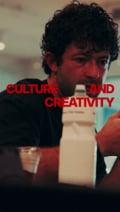
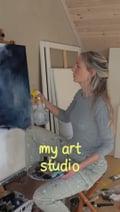
- Start with a reference. Add at least one, and you can simply send a link, so there is nothing to download. If you add more than one, tell the agent what you like about each.
- Pick your music first. Your cuts and key moments get timed to the music, so it makes a big difference. If you don’t have any, ask Cardboard to generate it for you.
- Use real footage where you can. Real footage looks better than generated footage. If you don’t have clips, ask the agent to source B-rolls, and only generate what it can’t find or what doesn’t exist.
Not sure what to reference?
Start with what you like.
Videos you’ve already saved or sent to friends usually show your taste better than anything you search for.
Mix and match.
One reference for the color, one for the pacing and one for the text works just as well as one perfect video.
Save links as you go.
Next time you see motion you admire, save the link for your next Cardboard project.




When you prompt
Context.
Give the agent as much information as possible
Be specific.
For example, “About 1.5 seconds per shot” will get you further than “make this faster”.
Reference Study.
Ask the agent to study your references first so you get a plan you can correct before editing.
Questions.
If you can’t describe something, let the agent ask you questions.
After the first cut
Change one thing at a time.
That way you can tell which change helped.
Tell it what to keep.
For example, “keep the opening as it is and make the ending shorter.”
Point to the exact moment and say what you see.
For example, “at 0:12, the text is hard to read over the sky.”
Related
Make your first videoStart from a recipeHow to refine your edit