Logo Animation Without After Effects, Explained (2026)
Find the quickest way to animate a logo without After Effects, from free makers to AI prompts, plus tips for a clean, undistorted reveal.
Contents12 sections
- What Is the Quickest Way to Animate a Logo?
- Which Way of Animating a Logo Fits Your Job?
- How Do You Prepare a Logo File for Animation?
- What Makes a Good Logo Reveal?
- What Do an Intro, Outro and Social Logo Animation Need?
- How Can You Animate a Logo for Free?
- Can AI Animate a Logo?
- How Do You Animate a Logo in Premiere Pro or After Effects?
- When Is a Designer or After Effects the Better Pick?
- How Do You Animate a Logo with Cardboard AI?
- What Is the Best Way to Start Animating Your Logo?
- FAQ
The quickest way to animate a logo is to describe the motion in plain words and let an AI video editor build a 3 to 5 second reveal from your transparent PNG. Here’s how to animate a logo without After Effects, which route fits your job, and when you should hand it to a designer.
TLDR:
- Describe the motion in plain words and an AI editor builds a 3 to 5 second reveal.
- Use a transparent PNG at 2000 px or wider, or an SVG to animate shapes.
- Keep one motion idea, hold the final frame 0.5 to 1 second, and don’t distort the mark.
- Canva and free makers animate logos from presets, though free tiers often add watermarks.
- Cardboard AI (cardboard.ai) animates your uploaded PNG from a prompt; Lite is free in the Mac app.
What Is the Quickest Way to Animate a Logo?
The quickest way to animate a logo is to describe the motion in plain language and let an AI video editor build the first cut. You get a 3 to 5 second logo reveal as an editable MP4, ready for an intro, outro or social post.
Searchers use four terms for roughly the same job:
- Logo reveal: the logo appears with motion, such as a fade, scale or wipe.
- Animated logo intro: a reveal placed at the start of a video.
- Logo sting: a short branded burst, often 2 to 3 seconds, used as a transition or sign-off.
- Logo animation: the umbrella term for all of them.
Say you have a flat PNG of your logo and a dark background. Ask for the logo to fade in, scale up slightly and hold for one second. That is the whole brief, and a first cut takes minutes. Canva, Premiere Pro and After Effects trade speed for control, and the next section sorts out which fits.
Which Way of Animating a Logo Fits Your Job?
Pick the route by how much control you need and how many logos you will animate. A one-off podcast intro needs a different tool than a rebrand launch film.
| Route | Best for | One main limit |
|---|---|---|
| Templates and online makers | Quick reveals for social posts | Free tiers often add watermarks |
| Freelance designer | Custom motion that fits a brand | Adds cost and review rounds |
| After Effects | Full control over timing and easing | Steep learning curve, subscription |
| Cardboard | An editable reveal from a plain-language request | Not a motion design studio |
For a brand launch film, hire a designer. For a clean reveal across ten videos, a template or AI editor gets you there in minutes.
How Do You Prepare a Logo File for Animation?
Use a transparent PNG at 2000 px or wider, or an SVG if you plan to animate shapes. Crop it tightly with no background baked in, since stray edge pixels show up as halos over footage.
A PNG is a flat image, which works for fades, scales and slides. An SVG keeps vector shapes, so the icon can spin in first and the name slide in after.
In Premiere Pro, import the PNG and drop it on a track above your footage. Transparency carries through automatically.
Keep three files ready:
- A full-color version
- A white one-color version for dark backgrounds
- A dark one-color version for light backgrounds
Illustrator is the usual place to split a logo into layers.
What Makes a Good Logo Reveal?
A good logo reveal uses one motion idea drawn from the logo’s shape, runs 3 to 5 seconds, and ends on a still frame. Keep the mark undistorted: a wobbling circular icon makes viewers remember the wobble, not the brand.
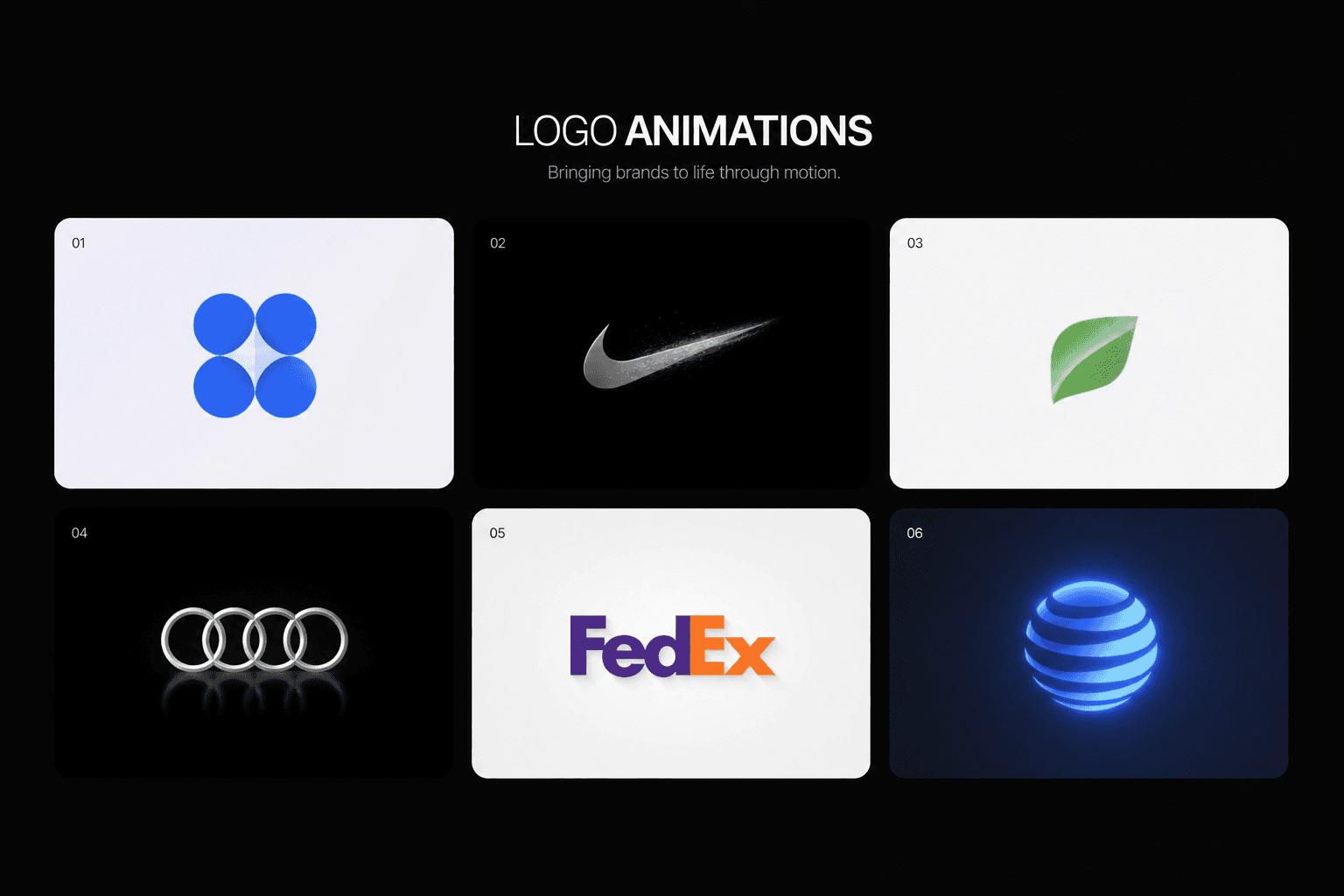
Three ideas that work for most marks:
- An outline that draws itself, then fills with color, which suits line-based icons.
- A mask wipe that uncovers the wordmark left to right.
- A scale-and-settle, where the logo grows to 105% and eases back to 100% with a short glow.
Glitch and jitter styles suit tech and music brands, but too many slices make the name unreadable.
Avoid animating every element at once, skipping the 0.5 to 1 second final hold, and stretching the logo out of proportion.
Before exporting, check that the name is readable, the motion is smooth, and it still works muted on a phone.
What Do an Intro, Outro and Social Logo Animation Need?
Each placement needs its own length, aspect ratio and logo position, so one export rarely works everywhere.
| Placement | Length | Aspect ratio | Logo position |
|---|---|---|---|
| Intro | 3 to 5 seconds | 16:9 | Centered, before or over the first line |
| Outro | 4 to 6 seconds | 16:9 | Centered or lower third, with room for a call to action |
| Social post | 3 to 5 seconds | 9:16 (vertical) | Inside the safe zone |
Social is where logos get clipped. For Stories, Reels and Shorts, keep the logo away from the top, bottom and side edges of the frame, and check each platform’s own help page for its current safe zone margins.
How Can You Animate a Logo for Free?
Yes, you can animate a logo for free with online logo makers, browser design tools, or free video editors. Free tiers often add watermarks, export caps or low resolution, so check each tool’s pricing page before committing a brand asset.
The typical path takes four steps:
- Upload a transparent PNG.
- Pick a preset entrance.
- Set the duration to 3 to 5 seconds.
- Export as MP4 or GIF.
For “without watermark” searches, check export resolution, free export limits, and whether commercial use is allowed.
In Canva, select your logo, click Animate, choose a style, and download as MP4 or GIF. Canva’s animations are preset-based, which suits simple entrances more than custom reveals. This Canva animation walkthrough covers the presets.
Free 3D logo makers apply a preset extrusion or spin, so thin lettering and detailed icons often look rough. For prompt-driven reveals, an AI video editor like Cardboard builds the motion from your description instead of a fixed preset.
Cardboard’s free option is the Mac app, covered in the final section.
Can AI Animate a Logo?
Yes, AI can animate a logo. You upload the file, describe the motion, and the tool returns a short reveal. It works best on simple, high-contrast marks, while fine detail and small text can distort.
Preset tools apply a style you pick. Prompt-driven tools build the motion from your description, such as “the icon draws itself, then the wordmark fades in.”
The bigger risk is redrawing. An AI video generator can reinterpret a logo, changing letterforms or colors. An editor that animates your actual file keeps the mark intact. Always compare the final frame against the original.
A solid prompt names the duration, background and final hold:
“Animate my uploaded logo on a solid black background. The icon draws itself in 1.5 seconds, the wordmark fades in, then hold the full logo for 1 second. Total length 4 seconds.”
Free tiers differ on watermarks, resolution and export limits, so check each tool’s pricing page and test one export first.
How Do You Animate a Logo in Premiere Pro or After Effects?
In Premiere Pro, keyframe Scale and Opacity on a transparent PNG, then apply Easy Ease. In After Effects, import your logo as layers and animate each one separately.
Premiere Pro
Drop your transparent PNG on a track above the footage and open Effect Controls. At the first frame, set Scale to 80% and Opacity to 0%. Move forward 12 to 18 frames and set Scale to 100% and Opacity to 100%. Right-click the keyframes and choose Easy Ease so the motion settles. This guide to easing keyframes shows the steps.
After Effects
Import an Illustrator or SVG file as layers so the icon and wordmark move independently. For an outline logo, add Trim Paths to a stroke and keyframe End from 0% to 100%.
Both apps need a paid Adobe subscription and some practice. If you animate one logo a year, that tradeoff is steep.
When Is a Designer or After Effects the Better Pick?
Choose a designer or After Effects when the animation is complex, brand-critical or spread across several scenes. If the result will define how your brand moves for years, a motion designer is the safer call.
A pro fits these jobs best:
- Custom 3D logos with lighting, materials and camera moves
- Character animation, such as a mascot that walks or talks
- Animated SVG or Lottie files for websites and apps
For one reveal this week, use a template or an AI editor. Send a designer logo files (SVG or layered Illustrator), two or three reference reveals, durations like a 4 second intro, and an agreed number of revision rounds. A 4 second AI draft makes a good reference.
How Do You Animate a Logo with Cardboard AI?
Cardboard is an AI video editor that builds logo reveals from a single prompt. Upload a transparent PNG, then type your request: “Animate my logo as a 4 second reveal on a dark background. Draw the outline, fade in the wordmark, then hold the final frame for 1 second.”
Review the first cut on the timeline, refine by chat (“make it faster”) or drag keyframes by hand, then export an MP4 or share a link. Lite is free in the Cardboard for Mac app. Cardboard is the wrong pick for custom 3D branding or character animation, so use After Effects there.
What Is the Best Way to Start Animating Your Logo?
Your logo reveal does not need to be fancy to work. Three seconds, one motion, a clear final hold, and you have something you can reuse across every video. Hire a designer when the brand depends on it. For everything else, Cardboard gets you a first cut in minutes.
Try the free Cardboard for Mac app, or open the web editor.
FAQ
How do I animate a logo for free in Canva without a watermark?
Select your logo in Canva, click Animate, pick a style, and download as MP4 or GIF. Canva’s animations are preset-based, so they suit simple entrances better than custom reveals, and you should check the pricing page for export limits before using the file on a brand asset.
Cardboard AI vs After Effects for animating a logo?
After Effects gives you full control over timing, easing and layered SVG animation, but it needs a paid Adobe subscription and practice. Cardboard builds an editable 3 to 5 second reveal from a plain-language request, which fits a clean reveal across many videos, while After Effects fits custom 3D or character work.
Can I animate a logo with AI without it redrawing my logo?
Yes, if the tool animates your actual file instead of generating new frames. An AI video generator can change letterforms or colors, so upload a transparent PNG to an editor like Cardboard AI and compare the final frame against your original before exporting.
What’s the fastest way to animate a logo for an intro in Premiere Pro?
Drop a transparent PNG on a track above your footage, set Scale to 80% and Opacity to 0% at the first frame, then 100% each about 12 to 18 frames later. Right-click the keyframes and choose Easy Ease so the motion settles, which takes only a few minutes for a simple intro.
Can I use my animated logo as a Reel or Short without it getting clipped?
Yes, export it at 9:16 and keep the logo well inside the frame, away from the top, bottom and side edges. Check each platform’s own help page for its current safe zone margins before you export.