Best CapCut Alternatives, India Edition (2026)
CapCut's India app pages return not found as of Nov 2026. Find official alternatives for Reels, webinars and client edits.
Contents7 sections
If you’re in India, CapCut is missing from the app stores, so you need an editor you can get officially. These CapCut alternatives include phone-template editors and ones that build a first cut from your footage, so you can get back to posting.
TLDR:
- CapCut’s India app store pages returned “not found” as of November 2026, though India has not issued an official unban or re-ban statement.
- CapCut suits template-based phone Reels; long footage and pro handoffs need another editor.
- Clipchamp, Filmora, Invideo, Kapwing and VEED each offer manual or generate-first editing.
- Pick by job: Windows hand-editing, manual compositing, scripted video or mobile-first social clips.
- Cardboard AI (cardboard.ai) builds a first cut from a request and exports XML for Premiere Pro or DaVinci Resolve.
What Is CapCut and How Does It Work?
CapCut is a video editor from ByteDance, the company behind TikTok. It works as a template-driven, mostly manual timeline editor for Reels, Shorts and TikTok-style clips. It was built for short vertical video on a phone, with desktop and web versions also offered internationally.
The workflow runs in a few steps:
- Import your clips from the phone gallery.
- Trim and arrange them on a multi-track timeline.
- Add keyframes, filters and transitions.
- Run auto captions over the spoken parts.
- Or skip the manual build, pick a ready-made template and swap in your own footage.
Take a 30-second Reel from phone clips. You pick a template, drop six or seven clips into its slots, let auto captions transcribe the talking bits, and lay a trending sound underneath. The template sets the cuts and pacing, so most of your time goes into choosing which footage fits where.
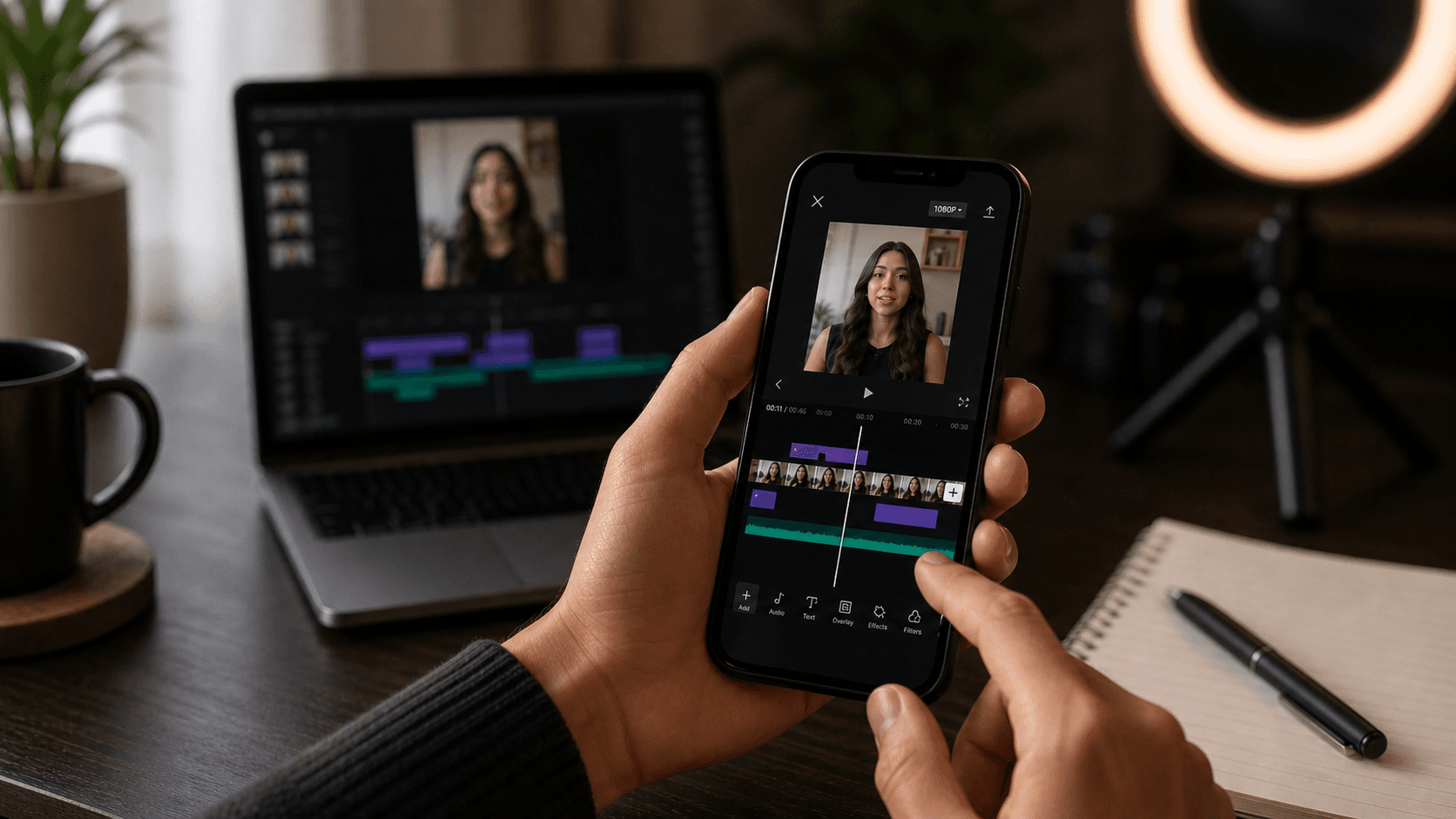
Beginners making short vertical videos get the most from it, along with creators who want quick, template-based edits and don’t mind doing the remaining adjustments by hand. Pricing and plan details vary by region, so check the in-app listing in your country before you plan around any figure.
Why Consider CapCut Alternatives in India?
Indian creators usually look for CapCut alternatives because the app is reported as unavailable in the country. As of November 2026, CapCut’s India App Store and Google Play pages returned “not found”, while the US pages for the same app were live.
India’s IT ministry blocks apps under Section 69A of the IT Act, and it announced a block on 59 apps on June 29, 2020. CapCut was not on that list, though secondary reports say it was blocked in a later round, and no report of the block being lifted turns up. Either way, you cannot get the app through official channels. Pick an editor that is officially available to you. VPNs, APK downloads and region-switching tricks are workarounds, and we don’t recommend any of them.
CapCut does plenty right. Core editing tools are free, templates make a 30-second Reel quick to assemble, and auto captions cover the talking parts. A few fit gaps show up even where it is available:
- It is template and manual-edit first, so it does not build a first cut from a plain-language request on long footage.
- Podcasts, webinars and interviews still need manual cutting, clip by clip.
- A timeline handoff to Premiere Pro or DaVinci Resolve is not a feature to count on.
CapCut suits quick, template-based phone edits. If you work with long footage, client projects or a pro handoff, a different kind of editor will likely serve you better.
Rupee prices differ by store and change often, so check each tool’s own pricing page before you commit. This post quotes only US dollar prices from official pages.
What Are the Best CapCut Alternatives in India?
Cardboard is an AI video editor you talk to. You describe the edit or pick a recipe, and the Director builds an editable first cut of your own footage on a multi-layer timeline.
- Plain-language edits, such as “Cut this 40-minute webinar into three 30-second clips with captions.”
- Transcript-first cutting that removes filler words, false starts and dead air.
- Smart reframe to 9:16 with speaker tracking, plus platform presets for Reels, Shorts and TikTok.
- Timeline export as XML for Premiere Pro or FCPXML for DaVinci Resolve (Starter and above, web editor).
It runs in a desktop browser (Windows included), as a free Mac app for Apple Silicon, and as a plugin inside ChatGPT and Claude (early access). As of November 2026, Lite is free in the Mac app with 3 watermarked exports. On the web, Lite is $5 for the first month, then $8/month.
Best for creators, podcasters, marketers and small business owners who shoot footage and need captioned vertical clips or recaps without learning a pro editor. For anyone with footage who wants a finished, editable cut fast, Cardboard replaces hours of manual template work with one request.
Clipchamp
Clipchamp is Microsoft’s online video editor with manual timeline editing, plus separate AI tools for subtitles, voiceover, audio cleanup and recording.
- Native Windows app via the Microsoft Store, and a web app.
- Webcam, screen and voice recording with unlimited retakes.
- Captions in over 80 languages with style editing.
- Stock video, images, music and sound effects.
Good for Windows users who want a free, hand-edited editor tied to Microsoft 365. The limit: AI features are tools you apply one at a time, and building a first cut from a request, or exporting a timeline to Premiere Pro or DaVinci Resolve, is not found on Clipchamp’s pages as of November 2026. Clipchamp fits hands-on editing on Windows, while Cardboard suits people who want an agent to assemble the cut.
Wondershare Filmora
Filmora is a desktop video editor built around a traditional timeline, with AI features such as media analysis, text-based editing and captions added as tools.
- Windows and macOS apps, plus iOS, iPadOS and Android apps.
- Keyframes, camera tracking, masks and blend compositing.
- Text-to-video, image-to-video and AI Extend.
- Direct YouTube export and a Social Video Planner.
Good for hands-on editors who want deep manual controls, a large asset library and phone apps. The limit: the primary workflow is a manually operated timeline, building the cut from a plain-language request is not found on Filmora’s pages as of November 2026, and free exports carry a watermark. Filmora wins for manual compositing, asset breadth and mobile apps. Cardboard wins when you want the first cut built for you.
Invideo
Invideo is a web-based video editor with an editing agent, plus script-to-storyboard generation and multiple AI video models.
- Describe edits in plain language and get a timeline back.
- Real-time multiplayer editing across several seats.
- Script-to-storyboard-to-video generation.
- Custom agents for roles such as colorist and sound designer.
Good for teams building from scripts, or several people editing one timeline at once. The limit: its positioning leans toward generated and scripted content, and timeline export to Premiere Pro or DaVinci Resolve and local processing are not found on its pages as of November 2026. As of November 2026, the Starter team plan shows $20 per seat per month before discount. This InVideo vs Cardboard comparison breaks it down further: Invideo suits generated and collaborative production, while Cardboard suits people whose job starts with footage they already shot and ends in an exportable cut.
Kapwing
Kapwing is a browser-based video editor with a drag-and-drop timeline and an AI Video Generator that turns text prompts into videos.
- Prompt-to-video with voiceover, visuals, subtitles and music.
- Tools for translation, dubbing, clean audio and Smart Cut.
- A connector for Claude and ChatGPT.
- A free plan with watermarked exports.
Good for marketers, educators and internal comms teams who may have no footage and want a video generated from a script. The limit: multicam sync is not found on its pages as of November 2026, and the free plan is capped at 720p and 4 minutes with a watermark. As of November 2026, Pro is $16 per member per month billed annually, or $24 billed monthly. This Kapwing vs Cardboard AI guide sums it up: Kapwing is better when you need a generated video. Cardboard is better for turning real interviews, podcasts and event footage into an editable cut.
VEED
VEED is a browser-based editor that leads with AI generation for social video, with text-based editing and Magic Cut, plus Android and iOS apps.
- Prompt-generated video with AI avatars and voice cloning.
- Magic Cut removes silences and filler words (English only), including on Free.
- Transcription and translation in 125+ languages.
- Built-in recorder and brand kit automation.
Good for creators with no footage yet, or anyone who needs mobile apps and broad language coverage. The limit: beat-synced montages, multicam sync and a Premiere Pro or DaVinci Resolve timeline handoff are not found on VEED’s pages as of November 2026, and the free plan exports at 720p with a watermark. VEED fits generate-first social video. Cardboard fits footage-first editing on a timeline you can finish elsewhere, and its editing recipes cover common footage-to-clip jobs.
How Do CapCut and Its Alternatives Compare?
| Feature | CapCut | Cardboard | Clipchamp | Filmora | Invideo | Kapwing | VEED |
|---|---|---|---|---|---|---|---|
| Main workflow | Templates and manual timeline | Describe the edit and the Director builds a first cut | Manual timeline plus separate AI tools | Manual timeline with AI features | Plain-language agent plus generation | Prompt-to-video plus timeline | Generate-first plus editor |
| Runs on Windows | Desktop and web versions offered in some countries | Yes, in a browser (no Windows desktop app) | Yes, native app | Yes, desktop | Yes, in a browser | Yes, in a browser | Yes, in a browser |
| Phone app | Yes | No (use the ChatGPT or Claude apps) | Not found on pages | Yes | Not found on pages | Not found on pages | Yes |
| Timeline export to Premiere Pro or DaVinci Resolve | Not found on pages | Yes, Starter and above, web editor | Not found on pages | Not found on pages | Not found on pages | Not found on pages | Not found on pages |
| Chat assistant connector | Not found on pages | ChatGPT and Claude plugin, early access, every plan | Not found on pages | Not found on pages | Connects outside agents into its own editor | Connector to Claude and ChatGPT | Not found on pages |
| Transcript-first cutting and multicam sync | Not found on pages | Yes to both | Removes filler words and pauses in audio cleanup | Not found on pages | Not found on pages | Not found on pages | Magic Cut for silence and fillers |
| Free entry | Free tier | Lite free in the Mac app, 3 watermarked exports | Free | Free with watermark | See invideo.io/pricing | Free plan, 720p with watermark | Free plan, 720p with watermark |
Competitor cells reflect each tool’s own pages as of 11 Nov 2026.
Read the table by job. Clipchamp wins for hands-on editing on Windows with a native app, Filmora for manual compositing and a phone app, and VEED for generate-first social video with mobile apps. CapCut, where you can get it, stays the quickest route to a template-based phone Reel, though on a Mac it’s worth checking this CapCut for Mac comparison first.
Cardboard stands out in two rows: a first cut built from a request on footage you already shot, and a timeline you can hand to Premiere Pro or DaVinci Resolve. Cardboard has no phone app, so if you edit mostly on your phone, one of the mobile-first tools fits better.
When Is Cardboard the Right CapCut Alternative?
CapCut gets plenty right: templates make a Reel quick to assemble, core tools are free, and a phone edit takes minutes. Where CapCut, Clipchamp and Filmora overlap is the workflow, since you cut by hand, one tool at a time. Cardboard builds the first cut from a request like “Make three vertical clips from this podcast, each with one complete idea,” and leaves you a timeline you can still adjust.
Cardboard works in a browser on Windows, has a free Mac app for Apple Silicon, hands the timeline to Premiere Pro or DaVinci Resolve on Starter and above, and runs inside ChatGPT and Claude. If you have no footage and need a generated presenter video, or you edit mostly on a phone, Invideo, Kapwing, VEED or Filmora fit better. To see which Cardboard plan matches your footage volume, compare plans on the Cardboard pricing page.
Which CapCut Alternative Should You Pick in India?
CapCut stays the quick route for template Reels where you can get it, but you have solid options now. Pick by workflow: hands-on timeline, generated video, or a first cut built for you. Test two tools on the same clip, and check Cardboard pricing to see which plan fits your footage.
FAQ
Why do Indian creators look for CapCut alternatives?
CapCut’s India App Store and Google Play pages returned “not found” as of November 2026, so you cannot get the app through official channels. Beyond availability, CapCut is template and manual-edit first, which slows you down on long podcasts, webinars and interviews.
When should you move away from CapCut to another editor?
Switch if you can’t install CapCut officially, or if your work has shifted from quick phone Reels to long footage, client projects or a handoff to Premiere Pro or DaVinci Resolve. If you only make short template-based phone edits and have a legal way to run CapCut, staying put is reasonable.
What should you look for in a CapCut alternative?
Start with the job: do you need a hand-built timeline, a first cut made from a plain-language request, or a video generated from a script? Then check platform support (Windows, Mac, phone), caption quality, vertical reframing, and whether you can export a timeline to Premiere Pro or DaVinci Resolve.
Can you use Cardboard on Windows or your phone as a CapCut replacement?
Cardboard runs in a desktop browser on Windows, and there is a free Mac app for Apple Silicon. There is no Windows desktop app and no Cardboard phone app, so if you edit mostly on your phone, a mobile-first tool like Filmora or VEED fits better.
Is Cardboard or Kapwing better if you have no footage yet?
Kapwing fits better when you want a video generated from a text prompt. Cardboard is built for footage you already shot, such as podcasts, interviews and screen recordings, and turns it into an editable first cut from a request like “Cut this 40-minute webinar into three 30-second clips with captions.”