CapCut Free Tools vs Cardboard AI Editing (2026)
See what CapCut gives you for free versus Cardboard AI's footage-first editing, pricing and export options as of Nov 2026.
 Cardboard TeamUpdated 9 min read
Contents9 sections
- What Is CapCut?
- What Is Cardboard?
- Is CapCut Free?
- Should You Edit Your Own Footage or Use a Template?
- How Do CapCut and Cardboard Handle Captions and Finishing?
- When Should You Choose Cardboard Over CapCut?
- FAQ
- Should You Choose CapCut or Cardboard?
- What Else Should You Know About CapCut and Cardboard?
- When should you choose Cardboard over CapCut for weekly video production?
- How should you brief Cardboard compared with choosing a CapCut template?
- Is CapCut free for your whole project, and what should you budget for Cardboard?
- Can you use Cardboard for a first cut and finish in Premiere Pro or DaVinci Resolve?
Choose CapCut for template-led social posts, using its built-in templates (as of November 2026). Choose Cardboard AI (cardboard.ai) to build an editable first cut from your footage and plain-language requests. For a podcast clip, compare the editing workflow and export limits before choosing.
TLDR:
- CapCut is free to start, but that does not mean every feature is free.
- CapCut lists free online tools for subtitles, background removal and audio cleanup.
- For a 45-minute interview, templates set the look. You still need to pick the moments.
- Cardboard turns your footage and requests into timelines you can edit.
What Is CapCut?
CapCut is a video editor available on web, desktop and mobile, as of November 2026. Its download and platform guide describes editing tools, templates and auto captions.
For example, start with your product footage and choose a CapCut business template for a social post (as of November 2026). Review the result and check which features your project needs before exporting.
What Is Cardboard?
Cardboard is an AI video editor that turns your footage and plain-language requests into editable, multi-layer timelines. Its Director builds the edit, and you refine it through chat or by hand.
For example, with podcast footage, you could ask, “Cut this conversation into a short clip.” You still decide which takes stay. Cardboard handles the cutting, not the judgment calls.
You can use Cardboard in the web editor, including on Windows, or through the Apple Silicon Mac app. ChatGPT and Claude plugins are available in early access.
Is CapCut Free?
Yes, CapCut offers a free version, according to its download guide, as of November 2026. That does not mean every feature is included. Before editing a product demo, check the features and export settings you need.
What Does CapCut Offer Without Paying?
CapCut lists free standalone online tools, as of November 2026:
- Remove backgrounds, enhance images or resize them.
- Convert video, generate subtitles or turn text into speech.
- Extract audio, remove noise or enhance voices.
What Does Cardboard Cost?
Cardboard includes free Lite in its Apple Silicon Mac app, as of November 2026. Lite has no generative credits; Cardboard does not offer a free trial.
| Free Mac Lite limits, as of November 2026 | Allowance |
|---|---|
| Exports | 3 total, 1080p, small watermark |
| File size | 2.5 GB per file |
Monthly web prices in USD, as of November 2026 (first month, then recurring):
- Lite: $5, then $8/month.
- Starter: $9, then $29/month.
- Creator: $30, then $59/month.
- Pro: $89, then $175/month.
Choose CapCut for single-purpose free tools.
For an event edit, ask Cardboard: “Make a 30-second recap from these clips.”
Should You Edit Your Own Footage or Use a Template?
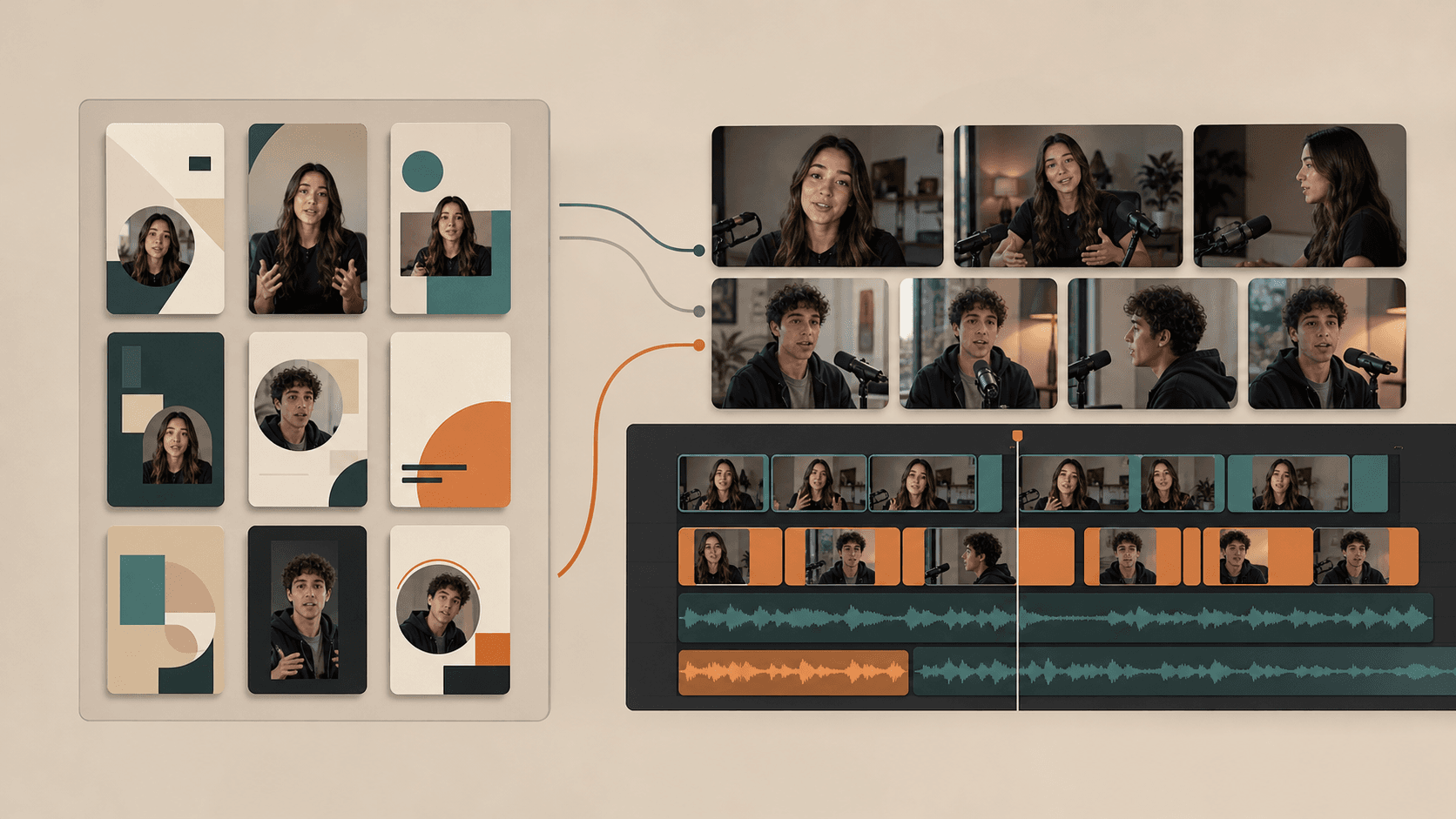
Choose a template when you want a preset look; both CapCut and Cardboard can edit your own footage. CapCut’s EditPilot also handles plain-language editing requests on PC, with availability varying by version and region, as of November 2026. For an interview, compare how each handles cuts and revisions instead of treating templates and footage editing as separate capabilities.
How Does CapCut Handle Templates and AI Creation?
CapCut offers templates for social posts and business content, as of November 2026. Choose a format for your product footage, then personalize it for the post.
For a 45-minute interview, a template sets the look, but you still need to review the moments and shape the story. For clip-focused workflows, see how OpusClip compares to Cardboard.
How Does Cardboard Build an Edit From a Request?
Cardboard builds an editable first cut from your footage and request. Import your podcast footage, then type: “Make three vertical clips from this podcast, each with one complete idea, and add captions.”
Review the video, audio, image, text and caption tracks, then request changes or edit by hand. Transcript-first cutting helps you remove filler words, false starts, stutters and dead air. If you’re deciding between a timeline editor and an AI-first workflow, check Premiere Pro vs Cardboard AI.
You can also search recordings by describing what was said or remix a recipe for podcast clips. Start with your recording and ask for the cut you need.
How Do CapCut and Cardboard Handle Captions and Finishing?
Cardboard and CapCut both support captions and audio cleanup inside an edit. CapCut’s EditPilot supports these tasks on PC, with availability varying by version and region, as of November 2026.
What Does CapCut Provide for Finishing?
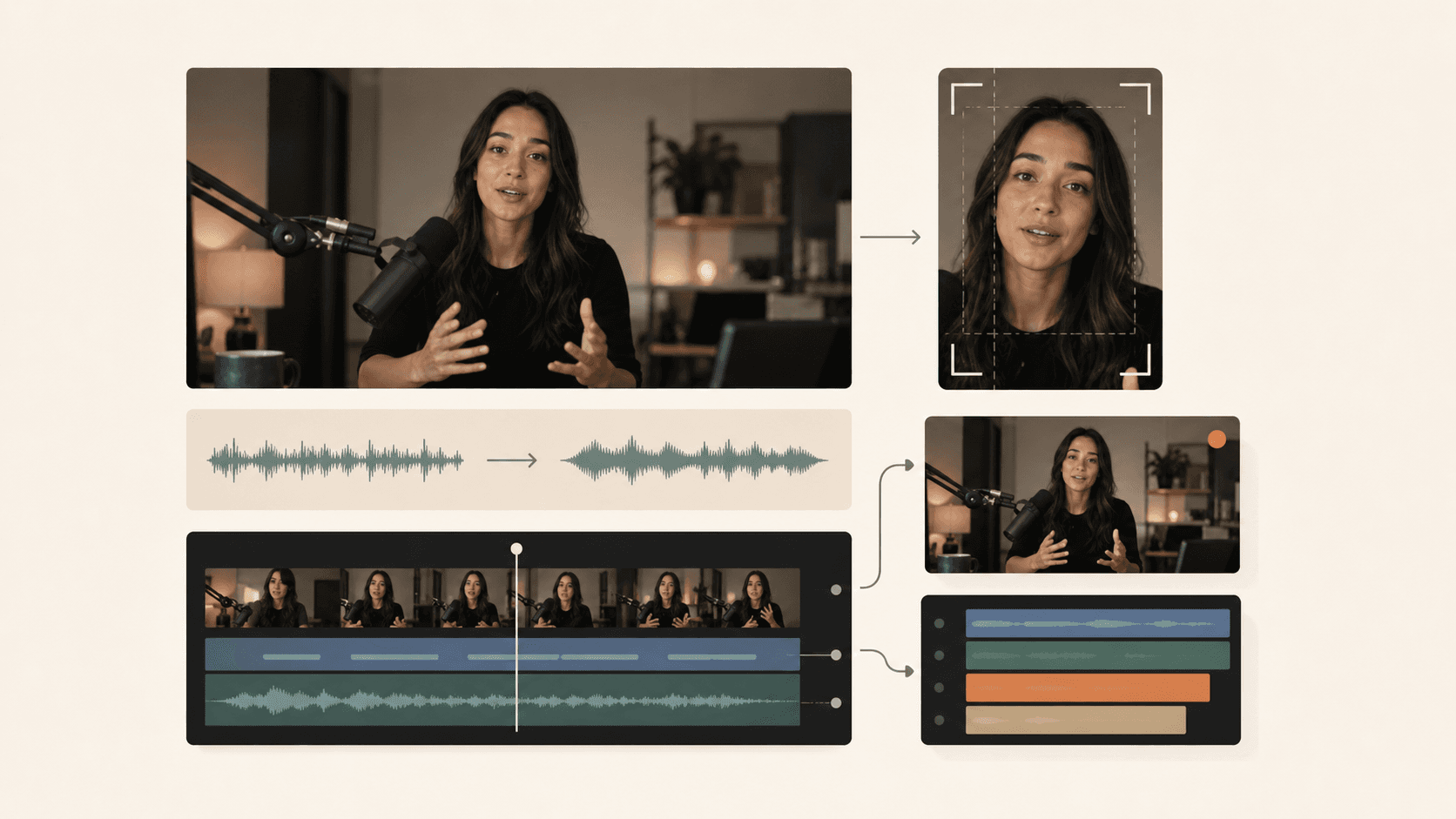
CapCut’s EditPilot can add captions and clean up speech inside the PC editor, as of November 2026. Availability varies by app version and region. For an interview clip, open your footage, ask “Reduce background noise in this clip,” then review the result on the timeline.
How Can You Finish and Export With Cardboard?
Cardboard applies captions and audio cleanup directly to your timeline:
- Word-level captions support the Word Pop style.
- Audio tools remove noise, duck music and level loudness.
- Smart reframing keeps your speaker in a 9:16 frame.
For interview footage, ask: “Level the speaker’s volume, lower the music under speech, and use Word Pop captions.”
Export options as of November 2026:
| Job | Availability |
|---|---|
| Translate captions | Starter and above |
| Export MP4 | 1080p: Lite and Starter; 4K: Creator and Pro |
| Export editable timelines | Premiere Pro XML or DaVinci Resolve FCPXML; Starter and above, web editor only |
Check your plan before choosing your handoff format. If you’re considering other transcript-based editors, see our list of Descript alternatives.
When Should You Choose Cardboard Over CapCut?
Choose Cardboard when you want a first cut from your footage that you can refine through chat or by hand. CapCut also edits your footage through plain-language requests with EditPilot on PC, subject to version and regional availability, as of November 2026. Compare the revision and handoff workflow rather than treating footage-based editing as exclusive to Cardboard.
With Cardboard, you describe the edit to get a first cut, then refine it through transcript-first cutting and an editable multi-layer timeline. For a recorded workshop, try “Remove the false starts and keep the clearest explanation.”
As of November 2026, Starter and above include timeline export through the web editor: XML for Premiere Pro and FCPXML for DaVinci Resolve. Lite is free in the Apple Silicon Mac app, with limited, watermarked exports.
Compare our plans to choose the editing allowance and handoff options your footage needs.
FAQ
Should you use CapCut or Cardboard AI if you need to turn a 45-minute interview into short clips?
Use Cardboard AI if you want a first cut built from your footage and a plain-language request, such as “Make three captioned vertical clips from this interview, each with one complete idea.” Use CapCut if you want a template to set the visual style and are comfortable picking the moments yourself.
What is the core difference between how CapCut and Cardboard AI handle editing requests?
CapCut’s EditPilot handles plain-language editing requests on PC, with availability varying by version and region. Cardboard builds an editable multi-layer timeline from your footage and your request, so you get a first cut you can refine through chat or by hand, with transcript-first cutting to remove filler words, false starts and dead air.
Who is Cardboard AI best suited for, and who is CapCut the better fit for?
Cardboard AI fits podcasters, marketers, founders and event teams who regularly turn raw footage into finished edits and want to refine the cut on a real timeline. CapCut is a stronger fit for creators who want free standalone tools (background removal, subtitle generation, noise cleanup) or template-led social posts without a footage-heavy workflow.
Can you start a cut in Cardboard AI and finish it in Premiere Pro or DaVinci Resolve?
Yes, on Starter and above, from the web editor. Cardboard exports your timeline as XML for Premiere Pro and FCPXML for DaVinci Resolve. Check your plan at cardboard.ai/pricing before choosing your handoff format.
Is Cardboard AI free to try before you commit to a paid plan?
Cardboard AI includes a free Lite plan in the Apple Silicon Mac app, with no card needed, covering 3 total watermarked 1080p exports. There is no free trial. On the web, Lite starts at $5 for the first month, then $8/month.
Should You Choose CapCut or Cardboard?
You can start with CapCut for free tools and templates. Cardboard builds an editable cut from your footage and requests. Try asking Cardboard to turn a podcast recording into three short clips.
What Else Should You Know About CapCut and Cardboard?
When should you choose Cardboard over CapCut for weekly video production?
Choose Cardboard if you regularly turn interviews, podcasts or event footage into finished edits. Ask, “Make three captioned clips from this interview,” then review the takes and pacing. Choose CapCut for template-led social posts using its built-in templates, as of November 2026.
How should you brief Cardboard compared with choosing a CapCut template?
In Cardboard, describe the footage, target length and changes you want: “Turn this workshop into a 30-second clip, remove false starts and add captions.” The Director builds an editable timeline that you can revise through chat or by hand. With CapCut templates, start by choosing the visual format for your post, as of November 2026.
Is CapCut free for your whole project, and what should you budget for Cardboard?
It depends on your project: CapCut offers a free version, as of November 2026, but check the features and export settings for your product demo. Cardboard Lite is free in the Apple Silicon Mac app with 3 total watermarked 1080p exports, as of November 2026. Starter offers unlimited watermark-free 1080p exports at $9 for the first month, then $29/month, as of November 2026.
Can you use Cardboard for a first cut and finish in Premiere Pro or DaVinci Resolve?
Yes, Cardboard supports editable timeline exports from its web editor on Starter and above, as of November 2026. For an interview, ask, “Remove false starts and keep the clearest explanation,” then export XML for Premiere Pro or FCPXML for DaVinci Resolve. Compare Cardboard plans before choosing your handoff workflow.