Premiere Pro vs Cardboard AI: Cost and Learning Curve
Weighing Premiere Pro against Cardboard AI on price and learning curve? Here's how first cuts compare in November 2026.
 Cardboard Team14 min read
Contents11 sections
- What Is Premiere Pro?
- What Is Cardboard?
- Which Is Easier to Learn, Premiere Pro or Cardboard?
- Which Gets You to a First Cut Faster?
- How Do Pricing and Switching Compare?
- What Should You Know Before Choosing Premiere Pro or Cardboard?
- Is Premiere Pro or Cardboard Better for Podcast Clips?
- Is Cardboard Free?
- Can I Use Cardboard Inside ChatGPT or Claude?
- Can I Export a Cardboard Edit to Premiere Pro?
- Is Cardboard Easier to Learn Than Premiere Pro?
- Can My Team Edit and Review a Cardboard Project Together?
- ### Does Cardboard Have a Windows Desktop App?
- When Should You Choose Cardboard Over Premiere Pro?
- What Else Should You Know About Premiere Pro and Cardboard?
- Should you use Cardboard or Premiere Pro if you want to get to a first cut faster?
- What is the core workflow difference between Premiere Pro and Cardboard?
- Who is Cardboard best for, and who is Premiere Pro best for?
- Can you use Cardboard alongside Premiere Pro without replacing your whole setup?
- What should you budget if you want to try Cardboard before committing to a paid plan?
- FAQ
- Should You Choose Premiere Pro or Cardboard?
- How Can You Compare Premiere Pro and Cardboard in Your Own Workflow?
Choose Premiere Pro if you want to assemble and finish the edit yourself; choose Cardboard AI (cardboard.ai) if you want a draft from a plain-language request. For a short interview clip, ask Cardboard: “Cut this interview into a short clip with captions,” then review the timeline. The choice is about how much assembly you want to do yourself, not simply which editor has AI.
TLDR:
- Premiere Pro lets you assemble interviews through transcript edits and timeline cuts.
- Check that your podcast and webinar clips preserve the speaker’s meaning before exporting.
- Cardboard drafts from your requests, then lets you refine cuts on a timeline.
What Is Premiere Pro?
Adobe Premiere Pro is a desktop video editor for hands-on assembly, while Cardboard starts with your editing requests. Adobe’s Premiere product page describes precision editing, text-based rough cuts and sound mixing. For an interview, import your footage and refine the sequence on the timeline.
For an interview, use its built-in text-based editing to assemble a first cut from the transcript, then adjust the cuts on the timeline. This workflow suits you if you want direct control over clip placement while using AI-assisted tools to help assemble your edit.
What Is Cardboard?
Cardboard is an AI video editor for Mac and browser that starts with your requests rather than the hands-on assembly described here for Premiere Pro. Lite is free in the Apple Silicon Mac app as of October 2026. Describe the edit you want, and it cuts, captions and reframes your own footage on a multi-layer timeline you can refine.
For a podcast recording, try: “Cut this podcast into a short clip with captions.” Then review the cut and adjust the timeline before you finish.
Which Is Easier to Learn, Premiere Pro or Cardboard?
Cardboard suits you if you want to start with requests; Premiere Pro suits you if you want to learn hands-on assembly. With an interview recording in Cardboard, try: “Make a short clip with captions,” then review the proposed cuts instead of assembling the first draft yourself.
How Do Premiere Pro and Cardboard Compare?
Premiere Pro suits hands-on assembly; Cardboard starts with your instructions. For an interview in Cardboard, try: “Make a short clip of the key moments,” then review the cut.
| Detail | Premiere Pro | Cardboard |
|---|---|---|
| Best for | Manual control | Drafting with less training |
| Your own footage | Yes | Yes |
| Editing approach | Text and timeline edits | Instructions, then review |
Before installing Premiere Pro, consult Adobe’s system requirements.
How Does Each Tool Work?
Premiere Pro lets you assemble a webinar clip through transcript and timeline edits; Cardboard proposes a draft from your request. Follow these steps, then review the result before exporting.
Premiere Pro:
- Import your footage.
- Generate a transcript.
- Delete text or trim the timeline.
- Add captions.
- Export.
Cardboard:
- Upload your footage.
- Type: “Cut this 40-minute webinar into three 30-second clips with captions.”
- Review the draft.
- Refine through requests or manual edits.
- Export.
Before approving either edit, check that each clip preserves the speaker’s meaning, including qualifications made later.
Which Gets You to a First Cut Faster?
Cardboard is the choice for a request-led first draft; Premiere Pro supports hands-on assembly with text-based rough cuts and footage search. For a podcast recording in Cardboard, try: “Find a strong moment and make a short clip with captions,” then review the result.
Which Is Better for Podcast and Webinar Clips?
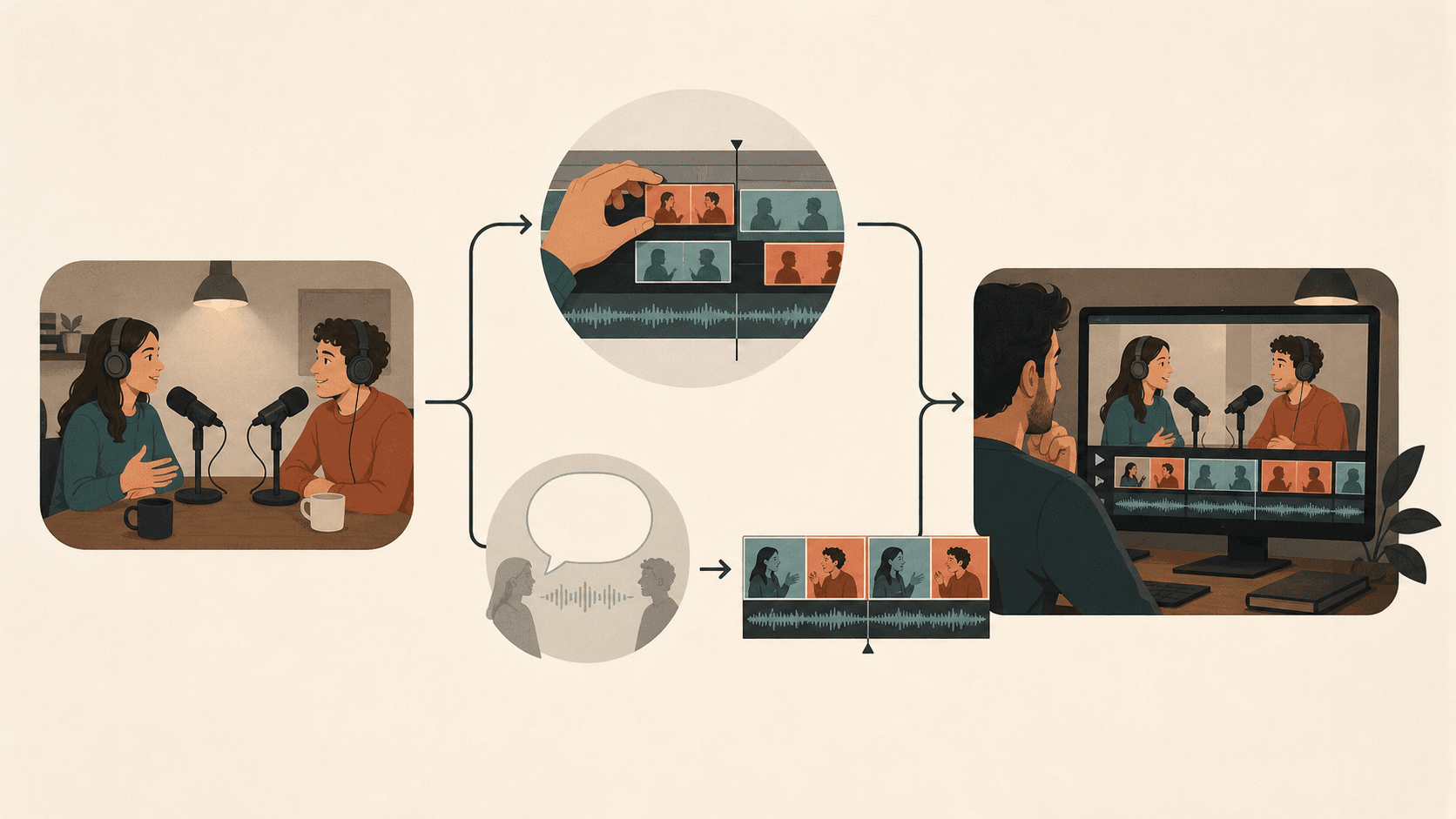
Choose Cardboard for request-led podcast and webinar clips, or Premiere Pro for hands-on clip selection. For a two-camera podcast, use these workflows:
- In Premiere Pro, find transcript moments, cut, reframe and caption.
- To turn a podcast into short clips in Cardboard, request: “Find three strong moments and make 30-second vertical clips with Word Pop captions.” Review camera choices before exporting.
Verdict: Cardboard for repeat clip work.
Which Is Better for Ad Variations and Launch Recaps?
Choose Cardboard for request-led ad variations and launch recaps, or Premiere Pro to assemble each version yourself. For a product walkthrough, use these workflows:
- In Cardboard, add music and request: “Cut a 20-second ad and beat-sync it to this track.” Use Smart Reframe for each aspect ratio; check product visibility. If your walkthrough includes a presenter, follow the guide to edit a talking head video.
- In Premiere Pro, build separate sequences and check compositions.
Verdict: Cardboard for ad variations.
Which Is Better for Long-Form Finishing?
Choose Premiere Pro over Cardboard when your documentary needs hands-on finishing. Adobe describes precision editing and sound mixing; refine your interview cuts and adjust the dialogue and music before exporting.
Verdict: Premiere Pro for detailed finishing.
How Do Pricing and Switching Compare?
Cardboard Lite is free in the Apple Silicon Mac app as of October 2026; if you keep Premiere Pro for finishing, budget for its subscription separately. To try the workflow with a podcast recording, ask Cardboard: “Make a short podcast clip with captions,” then review the cut and compare the export allowances in Cardboard’s pricing with your delivery needs.
How Much Is Cardboard?
Cardboard Lite is free in the Apple Silicon Mac app, while XML handoff to Premiere Pro requires Starter or above, as of October 2026. The paid prices below are as of October 2026; annual rates require annual billing. For an interview clip, ask Cardboard: “Cut this interview into a short clip with captions,” then compare Starter’s first-month and recurring prices before exporting XML for finishing.
| Plan | First month | Monthly thereafter | Annual rate |
|---|---|---|---|
| Browser Lite | $5 | $8 | $8/month |
| Starter | $9 | $29 | $20/month |
| Creator | $30 | $59 | $39/month |
| Pro | $89 | $175 | $125/month |
Cardboard lists no free trial as of October 2026; Lite in the Mac app is a free plan, not a trial.
What Are Cardboard’s Limits?
When trying Cardboard alongside Premiere Pro, upload files individually: Cardboard does not import an entire Google Drive folder from a folder link. For event footage, upload the individual files you need, then ask: “Make a recap from this event footage.”
- Cardboard lists no Teams plan as of October 2026, but its existing plans include sharing with a team.
- A Google Drive folder link brings only the first file into Cardboard; it does not import the folder.
How Do You Switch from Premiere Pro to Cardboard?
Start with one event recap in Cardboard before moving your Premiere Pro workflow. If you want to finish the draft in Premiere Pro, XML export requires Cardboard Starter or above, as of October 2026.
- Upload footage.
- Request: “Make a recap from this event footage.”
- Share for review.
- Export for finishing.
What Should You Know Before Choosing Premiere Pro or Cardboard?
Choose Cardboard for request-led drafts or Premiere Pro for hands-on assembly, then check platform and export requirements before committing. With an interview recording, ask Cardboard: “Make a short clip with captions,” and review the result against your delivery needs.
Is Premiere Pro or Cardboard Better for Podcast Clips?
It depends: choose Cardboard for request-led podcast clips, or Premiere Pro if you prefer selecting transcript passages and assembling the cut yourself. In Cardboard, try: “Find a strong moment and make a short vertical clip with captions.” Before exporting from either editor, check the speaker’s meaning, caption accuracy and framing.
Is Cardboard Free?
Yes, Cardboard’s Lite plan is free in the Apple Silicon Mac app with three watermarked 1080p exports, but watermark-free exports and XML handoff to Premiere Pro require Starter or above, as of October 2026. Browser Lite is paid, as of October 2026. For a podcast recording, try: “Make a short vertical clip with captions,” then review the cut before exporting.
Can I Use Cardboard Inside ChatGPT or Claude?
Yes, you can use Cardboard through a ChatGPT or Claude plugin as part of a workflow alongside Premiere Pro, but access is not guaranteed for every account; editing in chat uses your plan’s usage credits, as of October 2026. With access and your own podcast footage, try: “Make a short vertical clip with captions,” then review caption accuracy and missing context. The plugin is separate from the Mac app’s option to edit with your own Claude Code or Codex.
Can I Export a Cardboard Edit to Premiere Pro?
Yes, Cardboard supports XML export to Premiere Pro on Starter, Creator and Pro, as of November 2026. For an interview, ask: “Cut this interview into a short clip of the key moments,” then review the draft and export XML for finishing. Check the imported Premiere Pro timeline against your reviewed draft before continuing.
Is Cardboard Easier to Learn Than Premiere Pro?
It depends: Cardboard starts with requests, while Premiere Pro suits you if you want to learn hands-on assembly and finishing. In Cardboard, upload a podcast recording and ask: “Make a short vertical clip with captions,” then review the draft; in Premiere Pro, practice selecting a transcript passage, trimming it and adding captions.
Can My Team Edit and Review a Cardboard Project Together?
Yes, Cardboard lets teammates edit a shared project in real time and leave timecoded comments before any handoff to Premiere Pro. For review without editing, share a public link so viewers can watch the latest published cut and leave timestamped comments without an account. For a podcast clip, ask: “Make a short vertical clip with captions,” then have your reviewer flag caption errors or missing context before you refine the cut.
Does Cardboard Have a Windows Desktop App?
No, if you’re trying Cardboard alongside Premiere Pro, Cardboard’s desktop app requires an Apple Silicon Mac. Cardboard also offers a browser editor for editing your own footage through requests and a multi-layer timeline. For a podcast recording, ask: “Make a short vertical clip with captions,” then review the cuts, captions and framing before exporting.
When Should You Choose Cardboard Over Premiere Pro?
Choose Cardboard for a first draft from plain-language requests, or Premiere Pro for hands-on assembly and long-form finishing. Cardboard changes how you reach the draft, not your responsibility to review it.
For a weekly product update video, start by asking Cardboard for a draft from your raw demo clips. With event footage, try: “Find scenes of people trying the demo and build a recap around those moments.” Then use semantic footage search to find a missing reaction or product shot.
Bring teammates into the browser project to edit together and leave timecoded comments. For higher-resolution delivery, Creator and above include 4K exports as of November 2026. If your next task is an ad instead of a recap, follow the guide to build AI video ads fast.
What Else Should You Know About Premiere Pro and Cardboard?
Choose Cardboard for request-led drafts or Premiere Pro for hands-on assembly; check the workflow and budget details below before choosing. For a webinar recording, ask Cardboard: “Make a short clip with captions,” then review the result before deciding.
Should you use Cardboard or Premiere Pro if you want to get to a first cut faster?
It depends: choose Cardboard for a request-led draft or Premiere Pro for hands-on assembly through transcript editing and timeline adjustments. For a webinar recording in Cardboard, try: “Cut this 40-minute webinar into three 30-second clips with captions,” then compare the time needed to review and correct the result.
What is the core workflow difference between Premiere Pro and Cardboard?
Premiere Pro supports transcript and timeline assembly, while Cardboard proposes a draft from your editing request. For a podcast recording in Premiere Pro, import the footage, generate a transcript and trim the cut; in Cardboard, ask: “Make a short podcast clip with captions.” Review the result and refine the timeline in either editor.
Who is Cardboard best for, and who is Premiere Pro best for?
It depends: Cardboard suits you if you want request-led clips and ad variations, while Premiere Pro suits you if you want hands-on control over cut placement, sound mixing and long-form finishing. For a product walkthrough in Cardboard, ask: “Cut a short ad from this footage,” then review and refine the draft.
Can you use Cardboard alongside Premiere Pro without replacing your whole setup?
Yes, Cardboard exports XML to Premiere Pro on Starter and above, as of November 2026, so you can draft in Cardboard and finish in Premiere Pro. Start with one event recording and ask Cardboard: “Make a recap from this event footage,” then review the draft and export XML. Check the imported timeline against your reviewed draft before moving a full series to this workflow.
What should you budget if you want to try Cardboard before committing to a paid plan?
It depends: Cardboard Lite is free in the Apple Silicon Mac app with three watermarked 1080p exports, but XML export to Premiere Pro or watermark-free exports require Starter or above, as of November 2026. Starter costs $9 for the first month and $29 per month thereafter, or $20 per month billed annually, as of November 2026. To try a podcast recording on Lite, ask: “Make a short clip with captions,” then review the cut before exporting.
FAQ
Should you choose Cardboard AI or Premiere Pro if you want to reach a first cut faster?
Choose Cardboard AI (cardboard.ai) if you want a draft from a plain-language request, such as “Cut this 40-minute webinar into three 30-second clips with captions.” Choose Premiere Pro if you prefer to assemble your own cut by selecting transcript passages and trimming the timeline yourself.
What is the core workflow difference between Premiere Pro and Cardboard?
Premiere Pro is built around hands-on assembly: you import footage, generate a transcript, and trim cuts on the timeline. Cardboard starts with your instruction and proposes a draft on a multi-layer timeline for you to review and refine.
Who is Cardboard best for, and who is Premiere Pro best for?
Cardboard suits creators, podcasters, and marketers who need request-led drafts for repeat clip work, ad variations, and recaps from their own footage. Premiere Pro suits editors who want hands-on control over cut placement, sound mixing, and long-form finishing.
Can you use Cardboard alongside Premiere Pro without replacing your whole setup?
Yes, Cardboard supports XML export to Premiere Pro on Starter and above, as of November 2026, so you can draft in Cardboard and finish in Premiere Pro. Start with one recording, review the Cardboard draft, then export XML and check the imported timeline before moving a full series to this workflow.
What should you budget to try Cardboard if you already pay for Premiere Pro?
Cardboard Lite is free in the Apple Silicon Mac app with three watermarked 1080p exports, so you can test a podcast or webinar clip at no added cost. Watermark-free exports and XML handoff to Premiere Pro require Starter, which costs $9 for the first month and $29 per month thereafter, or $20 per month billed annually, as of November 2026.
Should You Choose Premiere Pro or Cardboard?
Choose Premiere Pro for hands-on assembly and finishing, or Cardboard for request-led drafts. Both leave the final review in your hands. To start with your event footage, ask Cardboard: “Make a recap from this event footage,” then refine the moments that matter.
How Can You Compare Premiere Pro and Cardboard in Your Own Workflow?
Compare Premiere Pro and Cardboard using the same footage and delivery brief, including the time you spend reviewing and correcting each cut. With a podcast recording in Cardboard, ask: “Make a short vertical clip with captions,” then check both editors’ results for meaning, caption accuracy and framing.
How should you choose between Premiere Pro and Cardboard for weekly videos?
It depends: choose Cardboard for request-led drafts, or Premiere Pro for hands-on assembly and finishing. Use the same podcast recording in both and, in Cardboard, ask: “Make a 30-second podcast clip with captions.” Compare the time needed to reach an approved clip, including review and corrections.
How does your first-cut workflow change from Premiere Pro to Cardboard?
It depends on how you assemble your cuts: Cardboard starts with an instruction, while Premiere Pro supports text-based editing and timeline edits. In Cardboard, try: “Cut this 40-minute webinar into three 30-second clips with captions.” Review each clip for missing context, caption errors and framing before exporting.
Can you use Cardboard alongside Premiere Pro without moving your whole workflow?
Yes, Cardboard supports XML export to Premiere Pro on Starter and above, as of November 2026. Start with one event recap and ask: “Make a recap from this event footage,” then review the draft and export XML for finishing in Premiere Pro. Check the imported timeline before committing a full series to this workflow.
What should you budget for when trying Cardboard alongside Premiere Pro?
It depends on your delivery needs: Cardboard Lite is free in the Apple Silicon Mac app with three watermarked 1080p exports, while XML handoff to Premiere Pro requires Starter or above, as of November 2026. For a podcast recording, ask Cardboard: “Make a short clip with captions,” then review the cut; Starter costs $9 for the first month and $29 per month thereafter, or $20 per month billed annually, as of November 2026. Keep your Premiere Pro subscription cost in the budget and check Cardboard’s current pricing before subscribing.