How to Build AI Video Ads Fast (October 2026)
How to create video ads with AI tools, no editor or production team required. Updated guide for October 2026.
 Cardboard Team13 min read
Contents13 sections
- Why Video Ads Are a Non-Negotiable for Growth Teams
- The Real Bottleneck
- What AI Video Ad Creators Actually Do
- How to Define Your Ad Goals Before Editing Anything
- How to Structure a Video Ad That Converts
- How to Turn Raw Footage Into a Video Ad with AI
- How to Repurpose One Video Into Multiple Ad Formats
- Types of Video Ads You Can Create Without a Production Team
- Captions, Audio, and Localization
- How AI-Powered Video Ad Creators Compare to Traditional Editing Tools
- How Cardboard Fits Into an AI Video Ad Workflow
- Final Thoughts on Choosing the Right Video Ad Creator for Your Team
- FAQ
If your team keeps talking about doing more video but the ads never quite get finished, the bottleneck is almost never the footage. It’s everything that happens after you hit record. Pulling clips, writing scripts, exporting for five formats, getting feedback, re-exporting. AI handles most of that now, and you don’t need a production team to pull it off.
TLDR:
- AI video ad creators compress a full-day editing process into minutes by building a first cut from your raw footage
- One shoot can produce 5 ad formats (15s vertical, 30s horizontal, square, 6s bumper, 45s landing page cut) via smart reframe
- Your hook has 3 seconds to land; ads that fail do so before the offer is ever seen
- Captions are non-negotiable for paid social; most feeds autoplay muted and viewers scroll past without them
- Cardboard is a browser-based AI video editor that takes plain language prompts and outputs multi-format, publish-ready ad cuts
Why Video Ads Are a Non-Negotiable for Growth Teams
Short-form video generates 2.5x more engagement per impression than any other content type, and 91% of businesses now use video as a marketing tool. At that level of adoption, video ads are the floor, not a differentiator.
For lean teams, that creates real pressure. Skipping video means ceding ground to competitors showing up in feeds, on landing pages, and across paid channels with content that moves. The question stopped being “should we do video?” It became “how do we keep up?”
The Real Bottleneck: Why Production Slows Teams Down
Raw footage sits in shared drives for weeks. Everyone knows it should become an ad. Nobody has the time to make it happen.
The traditional path from clip to published ad involves more steps than most teams expect: watch all the footage, pull the best moments, write a script, cut a timeline, add captions, mix audio, export for each format, collect feedback across three different tools, then re-export. For a 30-second ad, that process can eat a full day or more.
Freelancers and agencies solve the time problem but introduce cost and coordination issues. A single edited video can run $2,500 or more, and the feedback loop with an external editor adds days. By the time the ad is approved, the campaign window has often passed.
The result is a backlog. Good footage goes unused, and teams either publish less than they should or recycle old assets that no longer reflect the product. The bottleneck is rarely ambition or budget. It’s the gap between having raw material and having a finished, publish-ready ad.
What AI Video Ad Creators Actually Do
AI video ad creators are software tools that take raw footage and compress the editing process down to minutes. Instead of dragging clips onto a timeline manually, you describe what you want and the tool builds a first cut. Instead of exporting four versions for four formats, the tool handles it in one pass.
The core capabilities that define this category:
- Automatic first cuts from raw footage based on a prompt or brief
- Natural language editing (e.g., “cut this to 20 seconds” or “make a vertical version”)
- Smart reframing that keeps the subject in frame across aspect ratios
- Auto-generated captions synced to speech
- Multi-format export for paid channels, social, and landing pages
What separates these tools from traditional editors is the starting point. A traditional editor opens with a blank timeline. An AI video ad creator opens with a draft. You refine from there instead of building from scratch.
For ad work, the quality of that first draft matters. Some tools generate generic cuts from stock footage. Others work from your actual raw assets, producing output that reflects your real product and brand.
How to Define Your Ad Goals Before Editing Anything
Before touching any footage, get clear on what the ad is supposed to do. That decision shapes everything else: length, format, pacing, and call to action.
If you’re just starting out, it helps to first learn how to make a promo video before narrowing in on paid ad objectives. Three objectives cover most use cases:
- Awareness: introduce your brand or product to cold audiences. Focus on hooks and brand recall over hard CTAs.
- Conversion: drive a specific action, usually a click, signup, or purchase. Needs a clear offer and a direct CTA.
- Retargeting: re-engage people who already know you. Can be shorter, more direct, and assume prior context.
Where the ad runs matters just as much as what it says. A 15-second vertical ad for Instagram Reels is a different creative problem than a 30-second horizontal pre-roll on YouTube, and if TikTok is part of the mix, pairing ad creative with a proper TikTok business account setup matters too. Nail down placement before you pick your clips, since it determines aspect ratio, safe zones for text, and how long you have to make an impression.
Set one or two success metrics before you export. View-through rate tells you if the creative holds attention; click-through rate tells you if the offer lands. Knowing which one you are optimizing for keeps feedback focused once the ad goes live.
How to Structure a Video Ad That Converts
Most video ads fail in the first three seconds. The hook carries more weight than anything else in the structure, because viewers who leave early never see the offer.
A reliable structure follows this sequence:
- Hook (0 to 3s): lead with a problem, a surprising visual, or a bold claim. Skip the logo intro.
- Middle (3 to 30s): show the solution, prove value, or build enough context to make the CTA feel earned.
- CTA (final 3 to 5s): one action, stated clearly. “Try free,” “Shop now,” “See how it works.”
Videos under 90 seconds retain roughly 50% of viewers on average, and retention drops fast beyond that. For paid social, aim for 15 to 30 seconds. For landing pages or YouTube pre-roll, you have more room, but tighter is almost always better. If a clip in the middle doesn’t reinforce the offer or push the viewer toward the CTA, cut it.
How to Turn Raw Footage Into a Video Ad with AI
Upload your footage first. Let semantic search handle the organization. Instead of scrubbing through clips manually, type what you need: “customer reaction,” “product close-up,” or “founder talking about pricing.” The right moments surface without the hunting.
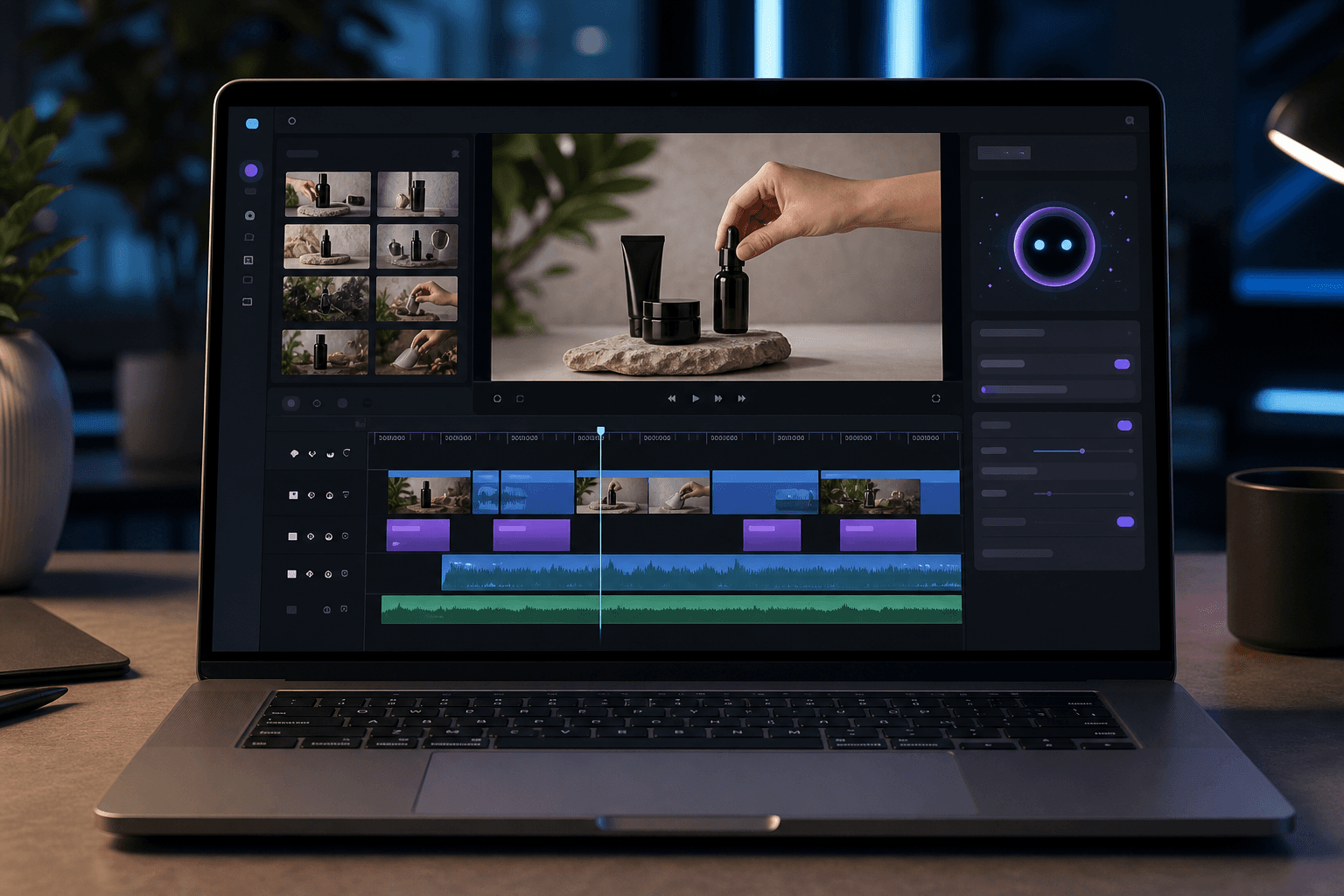
Write a prompt next. Something like “cut a 20-second ad from this footage that opens with the problem and ends with a CTA” gives the AI enough direction to build a usable first draft. The output lands on a timeline you can edit, not a locked video file.
Review that draft critically. The AI will get the structure mostly right, but you may want to swap a clip, tighten a transition, or push the CTA two seconds earlier. Make those changes in plain language or directly on the timeline.
Then layer on captions and audio. Clean up background noise, balance levels, and sync captions to speech. For paid social, captions are non-negotiable since most viewers watch without sound.
Finally, export for your placements. A good AI video ad creator generates vertical, square, and widescreen versions from a single edit, with smart reframing keeping your subject in frame across all three.
How to Repurpose One Video Into Multiple Ad Formats
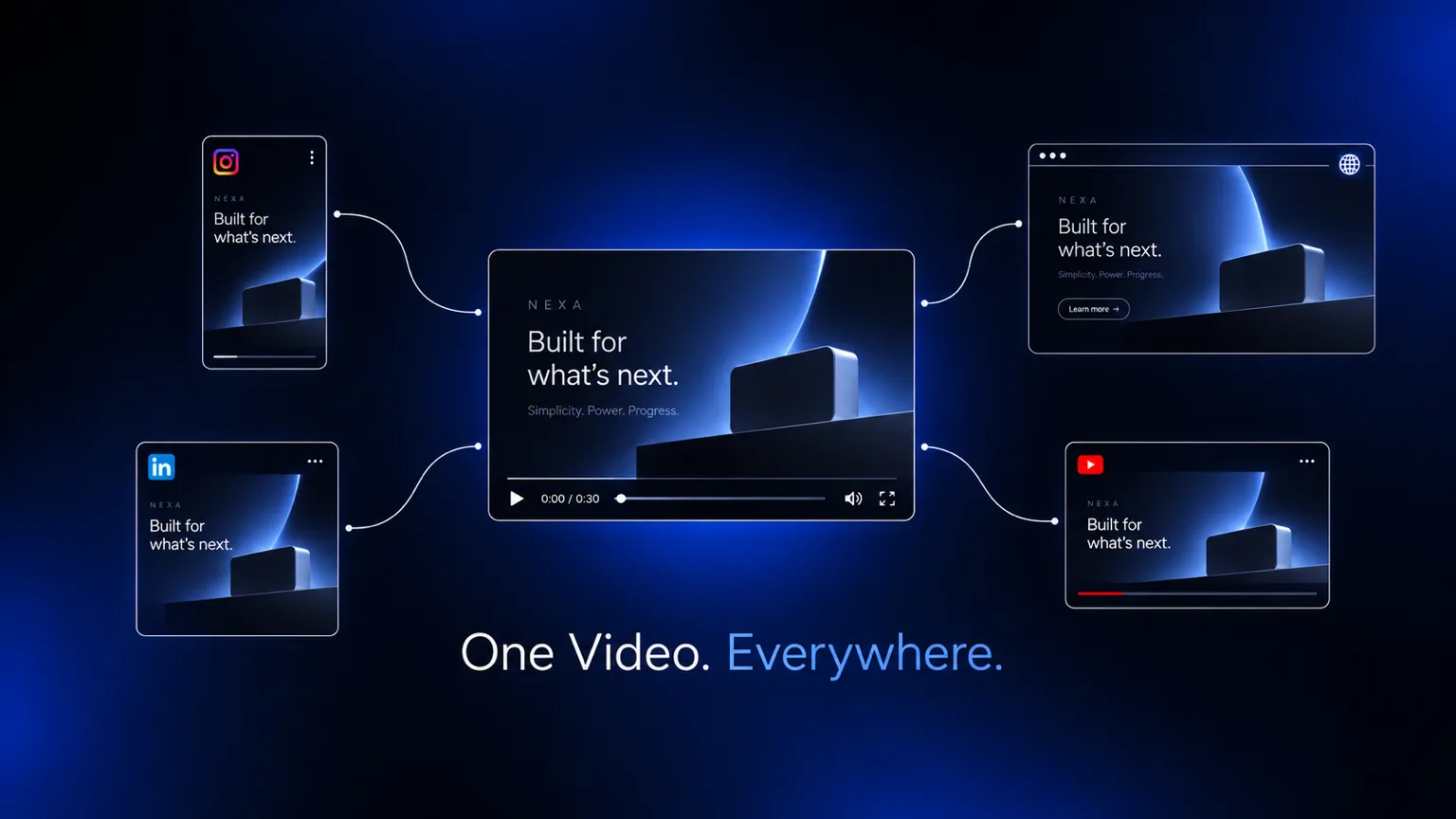
One shoot, five ads. That’s the math repurposing makes possible, and it’s the fastest way to stretch a single piece of footage across every placement without returning to the editing room.
Format requirements vary by channel. Instagram Reels and TikTok want 9:16 vertical, which is a big reason so many teams compare social media video editors before settling on one. YouTube pre-roll runs 16:9 horizontal. Feed placements often perform best at 1:1 square. Manually re-editing for each ratio means duplicating work and risking inconsistent cuts across versions.
Smart reframe handles this automatically, detecting the subject in each clip and repositioning the frame so nothing important gets cropped. A product demo shot in widescreen becomes a clean vertical without the founder’s face disappearing off screen.
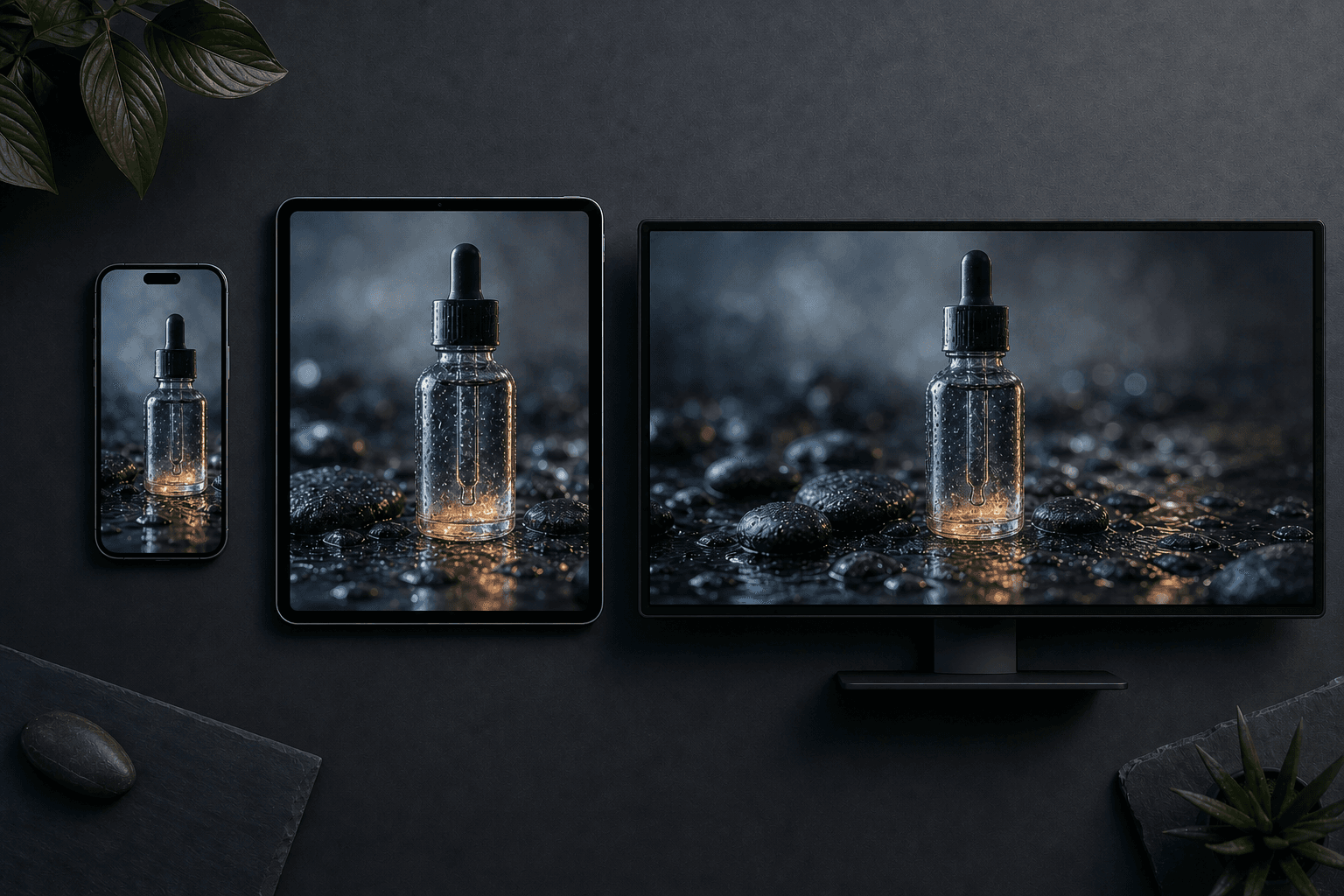
From a single 60-second recording, you can realistically produce:
- A 15s vertical cut for TikTok and Reels
- A 30s horizontal version for YouTube pre-roll
- A square crop for feed placements
- A 6s bumper pulling the strongest hook
- A longer 45s cut for landing page use
Edit the master version first, then export the rest. Sequence, pacing, and CTA stay consistent. Only the frame and length change per placement.
Types of Video Ads You Can Create Without a Production Team
The table below covers the core formats well. Here is what each one actually requires in practice.
Most of these work with footage you already have sitting somewhere. A product walkthrough needs a clean screen recording and a voiceover, much like the process behind making training videos without a dedicated production team. A testimonial compilation pulls from customer interviews collecting dust in a shared drive. A launch recap comes together from B-roll, a short founder clip, and product screenshots.
| Ad Format | Raw Input Needed | Best Placement |
|---|---|---|
| Product walkthrough | Screen recording or demo footage | YouTube pre-roll, landing page |
| Testimonial compilation | Customer interview clips | Facebook, Instagram feed |
| Launch recap | B-roll, founder clip, product screenshots | LinkedIn, YouTube |
| Social proof clip | Raw interview with one strong quote | Paid social, retargeting |
| Repurposed long-form | Webinar, podcast, or tutorial recording | Reels, TikToks, Shorts |
Social proof clips are often the easiest starting point, especially once you’ve picked from the best AI video editors for the job. Pull the best 20 seconds from a raw interview, add captions, and you have a retargeting ad ready to go. No studio required. AI handles the assembly, reframing, and captions. What you supply is the footage and the intent.
Captions, Audio, and Localization: The Finishing Layer
Auto-captions synced to speech handle silent autoplay without manual work, though style still matters: a basic white subtitle block and a word-by-word caption that emphasizes key terms as they’re spoken perform very differently in retention tests.
Audio quality shapes perceived production value just as quickly. Background noise removal cleans up ambient sound so voiceovers come through clearly, while automatic level balancing smooths the jump between loud B-roll and a quiet talking head.
Localization is one of the capabilities worth comparing across Runway AI alternatives. A single English ad translated into French and Spanish can double your addressable audience without a reshoot: the same creative runs with translated captions and an AI-dubbed voiceover, no new footage required.
How AI-Powered Video Ad Creators Compare to Traditional Editing Tools
| Dimension | Traditional Editing (Premiere, DaVinci) | AI Video Ad Creator |
|---|---|---|
| Learning curve | Steep, weeks to months | Low, plain language inputs |
| Time to first cut | Hours to days | Minutes |
| Collaboration | Export-and-share, version sprawl | Real-time, comment at timecodes |
| Format exports | Manual per placement | Automated multi-format |
| Fine-grained control | Full | Moderate, with manual overrides |
| Cost per finished minute | Higher: skilled editor time, software licenses, export rounds | Lower: AI handles assembly, captions, and multi-format export |
Traditional tools win on control. Frame-level precision, complex color grading, and multi-track audio mixing for broadcast deliverables still belong in Premiere Pro or DaVinci Resolve, though teams looking for lighter options often check out Descript alternatives first. The tradeoff is time and expertise.
For growth and marketing teams shipping ads on weekly cycles, that tradeoff rarely makes sense. The bottleneck is reaching a first cut fast enough to test, not perfecting a final grade. AI video ad creators compress the early stages of production so you can spend limited editing time on decisions that actually move performance.
How Cardboard Fits Into an AI Video Ad Workflow
Cardboard is an agentic AI video editor that runs entirely in the browser, no install required, with a native Mac app for anyone who prefers a dedicated window. You describe the edit in plain language and Cardboard builds a first cut on the timeline automatically.
For ad work, a few features do the heavy lifting:
- Natural language editing: type “cut this to 20 seconds and lead with the product demo” and get a draft on the timeline to refine
- Smart reframe: one edit becomes vertical, square, and widescreen versions with subjects staying in frame automatically
- Semantic footage search: find a specific reaction, quote, or scene across hours of raw footage without scrubbing
- Word Pop captions: keywords display larger as they’re spoken, designed for high-retention social formats
- Real-time collaboration: leave comments at exact timecodes, no export loops or version sprawl
- 4K 60fps export with Premiere Pro and DaVinci Resolve XML support for teams with existing post-production workflows
The entry plan pricing starts at $40/month and includes a 7-day free trial, covering the full ad workflow from raw footage to publish-ready multi-format cuts, without hiring an editor or learning a professional timeline tool from scratch.
Final Thoughts on Choosing the Right Video Ad Creator for Your Team
The best video ad workflow is the one your team will actually use consistently. AI tools have made the early stages of production fast enough that the bottleneck is no longer editing, it’s deciding what to make next. Start with the footage you already have, and Cardboard can have a first cut ready before your next meeting.
FAQ
How do I repurpose long-form video into short clips and ads automatically?
Upload your raw footage to an AI video ad creator, then use semantic search to pull specific moments (reactions, quotes, product demos) without scrubbing through the full recording. From a single 60-second master cut, you can export a 15s vertical for TikTok and Reels, a 30s horizontal for YouTube pre-roll, a square crop for feed placements, a 6s bumper, and a longer landing page cut in one pass with smart reframe handling the aspect ratio differences automatically.
Cardboard vs Descript for creating video ads from raw footage: which fits a growth team better?
Cardboard is built around agentic first cuts and semantic footage search, so it works best when you have hours of raw multi-scene footage and need to ship publish-ready ad formats fast. Descript is stronger for transcript-based editing on talking-head content. If your workflow involves finding the right moments across raw footage, cutting to brief, and exporting vertical, square, and horizontal versions in one session, Cardboard handles that end-to-end without a dedicated editor.
How do I use natural language to edit a video ad without learning Premiere Pro or DaVinci Resolve?
Write a plain-language prompt describing the cut you want, something like “make a 20-second ad that opens with the problem and ends with a CTA”, and an agentic AI video editor like Cardboard builds a first draft on the timeline. You then refine specific clips, swap moments, or adjust pacing in plain language or directly on the timeline, skipping the steep learning curve of professional editing tools entirely.
What tools should I use to create testimonial videos and launch recaps from raw footage?
AI video ad creators like Cardboard let you pull the strongest 20-second quote from a raw customer interview, add synced captions, and export a retargeting-ready social proof clip without any studio setup. For launch recaps, the same workflow applies: feed in B-roll, a founder clip, and product screenshots, write a brief, and get a structured first cut to refine instead of starting from a blank timeline.
What is the actual cost difference between AI video ad creators and traditional editing for small teams?
The median cost per finished minute of video runs around $4,200 with traditional editing and roughly $2,500 with AI tools, but the bigger gap is time. A 30-second ad that takes a full day to cut manually through traditional tools can reach a first draft in minutes with an AI video ad creator. For teams shipping ads on weekly cycles, the speed difference matters more than the cost difference.