How to Make a Promo Video for Your Business with Cardboard AI
Make a business promo video that converts, from script to multi-format edits. See how Cardboard turns one cut into 5 formats in minutes.
 Cardboard TeamUpdated 11 min read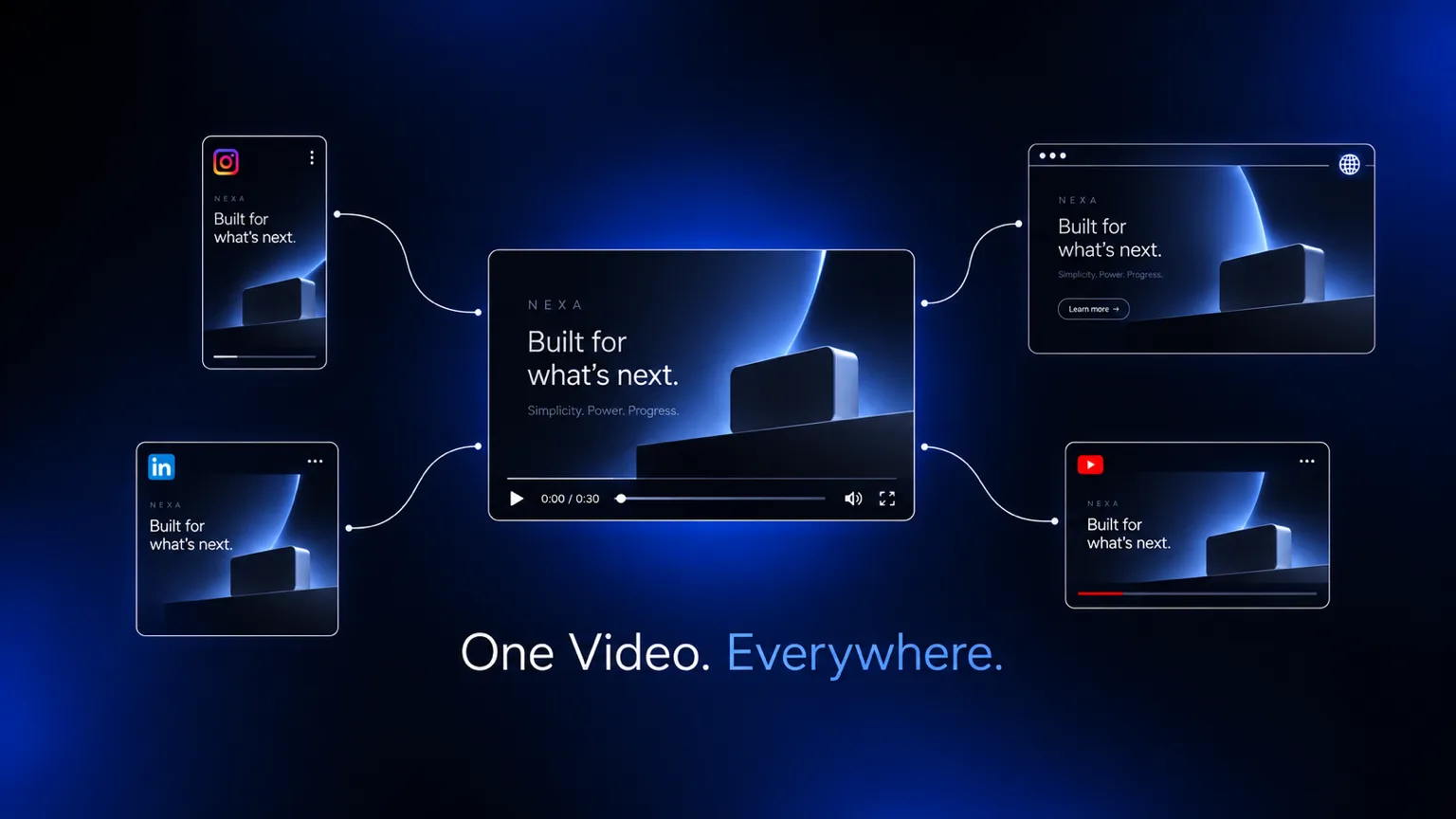
Contents13 sections
- What a Promo Video Actually Is
- Types of Promo Videos (and When to Use Each)
- Why Promo Videos Work for Business Growth
- How Long Your Promo Video Should Be
- How to Plan a Promo Video Before You Edit
- How to Write a Script That Sells the Idea
- The Key Elements of a High-Performing Promo Video
- How to Repurpose One Promo Video Into Multiple Formats
- How to Distribute a Promo Video for Maximum Reach
- How to Track Promo Video Performance and Improve Over Time
- How Cardboard Helps Teams Go From Raw Footage to a Finished Promo in Minutes
- Final Thoughts on Video Promo Strategy for Marketers and Creators
- FAQ
If your promo video keeps getting pushed to next week, you’re probably making it harder than it needs to be. A solid business promo doesn’t require a production crew or a full day in post. It requires one clear goal, a tight script, and a workflow that doesn’t collapse the moment you need a vertical cut for social.
TLDR:
- Landing pages with embedded video convert at 86% higher rates than text-only pages.
- Keep promos under 60 seconds for social and cold audiences; 60-90 seconds works for landing pages.
- One 60-second promo can produce 5 distinct cuts across web, social, ads, and email.
- Track watch-through rate first: below 50% on a short promo signals a weak hook or poor pacing.
- Cardboard AI (cardboard.ai) lets teams describe edits in plain language and auto-reframe one promo into vertical, square, and widescreen versions.
What a Promo Video Actually Is
A promo video is a short video built around one clear goal: get someone to take action. That might mean signing up, buying, clicking, or simply understanding why your product matters. Unlike a brand film or a product demo, a promo video distills the pitch into something fast and compelling.
It’s usually under two minutes, often under 60 seconds, and it works across landing pages, social feeds, email campaigns, and paid ads. The format is flexible. The purpose is not: get the viewer to do something next.
Types of Promo Videos (and When to Use Each)
Not every promo video serves the same purpose, so picking the wrong format wastes time before you even hit record.
- Product launch: showcases a new feature or release, focused on what’s new and why it matters to the buyer right now.
- Explainer: breaks down how something works, ideal for complex products or unfamiliar categories where context drives conversion.
- Brand awareness: leads with story over specs, meant for cold audiences who don’t know you yet.
- Social promo: short, punchy, and optimized for feed-stopping on Instagram, TikTok, or LinkedIn.
- Event promo: builds anticipation or recaps a moment, with a clear date or CTA driving urgency.
- UGC-style: casual, first-person framing that feels native to social instead of polished and produced.
Match the format to where the viewer is in their journey, and the video will do far more work.
Why Promo Videos Work for Business Growth
According to Digital Applied’s 2026 analysis, 91% of businesses now use video as a marketing tool, and landing pages with embedded video convert at 86% higher rates than text-only equivalents. Short-form videos under 60 seconds generate 2.5x more engagement per impression than any other content type.
For founders and marketers weighing where to spend time, that’s a hard signal to ignore. A single well-made promo can carry weight across your site, your ads, and your social channels simultaneously.
How Long Your Promo Video Should Be
Length depends almost entirely on where the video lives and what it needs to do. As of Wistia’s 2024 analysis of over 13 million videos, promos perform best under one minute. Beyond that, every additional second costs you viewers.
| Channel | Recommended Length |
|---|---|
| Social (Instagram, TikTok, LinkedIn) | Under 60 seconds |
| Website / landing page | 60 to 90 seconds |
| Email embed or GIF teaser | 15 to 30 seconds |
| Paid ads (pre-roll, display) | 15 to 30 seconds |
Keep it shorter for cold audiences, and give yourself slightly more room when someone already knows you and needs context to convert.
How to Plan a Promo Video Before You Edit
Before touching any footage, the decisions you make on paper determine more than anything you do in the editor.
Start with one question: what do you want the viewer to do after watching? Not feel. Do. Sign up, click a link, share the video. Every other choice flows from that single action.
From there, define who you’re talking to before you decide what to say. A cold audience on Instagram needs a different hook than a warm prospect landing on your site. Same product, completely different video.
Once you know the action and the audience, find the one idea worth building around. Not three benefits. One. Teams that try to say everything in 60 seconds end up saying nothing.
Finally, plan for distribution before you shoot. If the video is going to Instagram Reels and your website, you need vertical and widescreen versions. Deciding that after the fact costs you hours. Deciding it upfront costs you nothing.
How to Write a Script That Sells the Idea
A 60-second video runs roughly 130 to 150 spoken words. Write more and you’ll either rush the delivery or cut the ending, which is where the CTA becomes effective.

Start with the hook. The first five seconds decide whether anyone watches the rest. Lead with the problem, a surprising fact, or a direct call-out of the viewer’s situation. Save the brand name for after you’ve earned the attention.
The middle does one job: connect the problem to your solution without listing every feature you’re proud of. Pick the single benefit that matters most to that specific audience and build around it.
End with a CTA that follows naturally from what came before. “Start your free trial” lands harder when the video just showed exactly what the trial gets you.
A simple structure that works:
- Hook: name the pain or spark genuine curiosity about what comes next
- Bridge: position your product as the clear answer to that pain
- Proof: one line of evidence, a real result, or a quick supporting visual
- CTA: one action, stated plainly and without hedging
The Key Elements of a High-Performing Promo Video
Every strong promo video shares a few production fundamentals, regardless of format or budget.
- Visuals: Shaky footage or poor lighting signals low quality before a word is spoken. Clean, well-lit shots keep attention where it belongs, on the message.
- Audio: Viewers will tolerate average video, but bad audio causes immediate drop-off. Clear voice, minimal background noise, and balanced levels are non-negotiable.
- Captions: Most social video plays without sound. Without captions, you’re losing a large chunk of your audience before they’ve heard a word.
- Pacing: Cuts that drag kill momentum. Each scene should earn its runtime. If a shot isn’t adding information or energy, remove it.
- CTA: One action, placed at the end, stated clearly. Not two options, not a vague “learn more.”
Each of these directly affects whether someone keeps watching and whether they act after.
How to Repurpose One Promo Video Into Multiple Formats
Shooting one video and cutting it once is leaving reach on the table. A single promo can feed your landing page, paid ads, Instagram Reels, LinkedIn, and an email campaign if you plan for it before you start editing.
The biggest time-saver is deciding on formats upfront: vertical for social, widescreen for the web, square for ads. If you make that call after exporting, you’re rebuilding the edit from scratch.
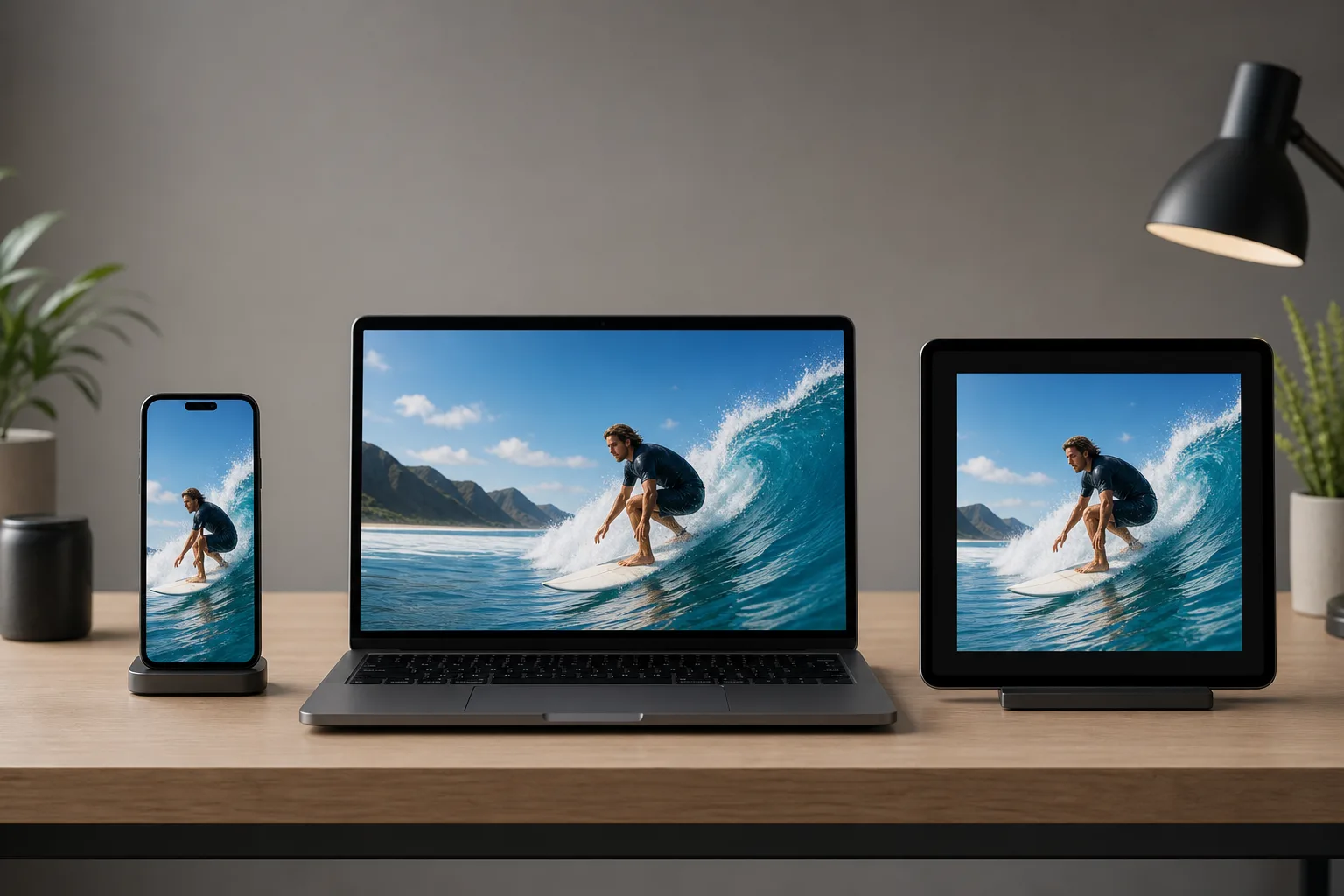
From one 60-second promo, you can typically pull:
- A full-length cut for your website or YouTube
- A 15-second ad variant leading with the hook and ending on the CTA
- A vertical cut for Reels or TikTok with captions burned in
- A square version for LinkedIn or display ads
- A still frame or short looping clip for email
What changes between versions is the framing, the crop, and sometimes the pacing. AI-powered tools handle the reframe automatically, keeping the key subject in frame across aspect ratios without manual repositioning.
How to Distribute a Promo Video for Maximum Reach
Each channel has its own format requirements and success metrics, so distributing the same cut everywhere without adjusting rarely works.
Social Media
Post natively to each channel instead of sharing links. Vertical video works best on Instagram Reels and TikTok, while LinkedIn favors widescreen or square formats. Captions are mandatory. Success here looks like watch-through rate and shares, not views alone. If you’re still choosing an editor for this workflow, see our breakdown of the best social media video editors.
Embed a thumbnail with a play button linking to a hosted version. Most email clients won’t autoplay video, so the thumbnail does the selling. A subject line that references the video typically lifts open rates.
Paid Ads
Trim to 15 to 30 seconds. The hook must land in the first three seconds or the algorithm moves on. Measure click-through rate and cost per conversion, not impressions.
Website Placement
Hero sections and landing pages are the highest-impact placements. Keep autoplay muted with captions visible. A video above the fold that clearly explains your offer can meaningfully lift conversions, especially for complex products where text alone undersells the value.
How to Track Promo Video Performance and Improve Over Time
Watch-through rate tells you whether the video itself is working. Click-through and conversion rate tell you whether it’s driving business outcomes. Most teams track views and stop there, optimizing for vanity over results.
A few metrics worth tracking consistently:
- Watch-through rate: the percentage who finish the video. Find it in your video host’s or platform’s retention graph, and compare it by channel, since a 15-second ad and a 90-second landing page video finish at very different rates.
- Click-through rate: how many viewers take the next step. Low CTR after high watch-through often means the CTA isn’t landing clearly.
- Conversion rate: how many clicks turn into signups or purchases. This is the number that connects video performance to revenue.
- Engagement rate: shares, comments, and saves on social. High engagement on low reach means the content resonates but distribution needs work.
When watch-through drops early, test a different hook. When CTR is low despite people finishing, tighten the CTA or move it earlier. Run one variable at a time so you know what actually moved the number.
How Cardboard Helps Teams Go From Raw Footage to a Finished Promo in Minutes
Every step in this guide, from planning formats upfront to repurposing one cut across five channels, runs into the same wall: editing is slow. Cardboard is built to remove that wall.
Instead of scrubbing through timelines, you describe the edit in plain language. “Make a 60-second promo from this walkthrough footage” or “cut a 15-second ad version leading with the hook.” Cardboard proposes a first cut on the timeline, and you refine from there. Semantic Footage Search means finding the right reaction, quote, or scene across hours of raw footage takes seconds, not an afternoon.
Smart Reframe handles the multi-format problem automatically. One promo becomes vertical, square, and widescreen versions with the key subject kept in frame across all three, no manual repositioning required.
Share a public review link and your team can leave timestamped comments with no login required. No exports between feedback rounds, no version sprawl.
As of October 2026, plans start at $8/month on Lite, with a $5 first month, and Lite is free on the Mac app. Starter at $29/month adds unlimited 1080p exports with no watermark, and Cardboard runs in the browser or as a Mac app for Apple Silicon. For growth teams, solo creators, video editors, creative directors, CMOs, and agencies that need to ship promo videos consistently without burning hours in the editor, that’s the difference between videos that get made and videos that stay on the to-do list.
Final Thoughts on Video Promo Strategy for Marketers and Creators
Short, focused, and built around one clear action. That describes every promo video worth making. Get the planning right, keep your cut tight, and repurpose smartly across channels. Cardboard makes it easier to go from footage to finished video without losing a day to the timeline.
FAQ
How do I repurpose one promo video into vertical, square, and widescreen formats without rebuilding the edit each time?
Plan your target formats before shooting, then let Smart Reframe handle the crop. It keeps the key subject in frame when you switch aspect ratio, so vertical, square, and widescreen cuts all come from a single edit without manual repositioning.
Cardboard vs Descript for making a promo video: which is better for growth teams?
Cardboard is built for teams working from raw multi-scene footage who need a first cut fast: you describe the edit in plain language and it proposes a timeline you refine from there. Descript is stronger for transcript-based editing of talking-head content, but lacks Cardboard’s AI first cuts, semantic footage search, and unlimited 4K browser-based exports on Creator and Pro (as of October 2026). For a full breakdown, see our guide to Descript alternatives.
What are the best browser-based video editors with AI features for creating promo videos in 2026?
Cardboard, VEED, CapCut, and Canva all run in the browser without installs. See our full ranking of best AI video editors for a detailed comparison. Cardboard separates itself with natural language editing, semantic footage search, and review links with timecoded comments, features aimed at growth teams shipping promos consistently, beyond one-off clips.
How do I write a promo video script that keeps viewers watching to the CTA?
Lead with a hook in the first five seconds that names the viewer’s problem or sparks genuine curiosity, then connect that problem to your solution using one clear benefit, and close with a single action stated plainly. A 60-second promo fits roughly 130 to 150 spoken words, so budget your word count before you write.
How do I track whether a promo video is actually driving results, beyond raw views?
Watch-through rate comes first: below 50% on a short promo means the hook needs work. High watch-through with a low click-through rate points at the CTA instead. Conversion rate is the number that ties the video back to revenue.