How to Remove Background Noise From Video, Free and Fast
Learn to remove hum, hiss and wind noise from video audio while keeping speech clear and natural sounding.
 Cardboard TeamUpdated 7 min read

Contents12 sections
- Can You Remove Background Noise From a Video?
- What Kinds of Background Noise Can Be Removed?
- How Does AI Noise Removal Keep Your Voice?
- How Do You Remove Background Noise From Video Online for Free?
- How Do You Remove Background Noise With Free Desktop Software?
- How Do You Remove Background Noise From Video on iPhone or Android?
- How Do You Remove Background Noise but Keep the Voice and Music?
- What Settings Keep Cleaned Audio From Sounding Robotic?
- How Do You Prevent Background Noise Before You Record?
- How Do You Remove Background Noise From Video With Cardboard?
- FAQ
- How Can You Keep Video Audio Clear Without Removing Every Sound?
You can remove background noise from video with free browser tools or desktop software, though download limits and speech quality need checking. Start with a short test clip from your phone vlog to choose a route that keeps your words clear.
TLDR:
- You can reduce background noise from video. Steady hum is easier to remove than competing voices.
- Use AI voice isolation to keep speech; separate music into its own track to preserve it.
- Check free online tools for download limits, login requirements, and watermarks before uploading.
- Test 30 seconds of your footage at low strength to avoid robotic speech.
- Ask Cardboard AI (cardboard.ai): “Remove the background noise and level the audio.”
Can You Remove Background Noise From a Video?
Yes, you can remove background noise from video, or reduce it noticeably. Steady hum and fan hiss are easier to clean up than changing noise overlapping speech. Noise louder than your voice may remain audible.
- Use an AI noise remover online or inside an editor.
- Choose manual audio software to control the reduction yourself.
- For future recordings, reduce noise before you press record.
For a 10-minute Zoom interview with laptop fan hiss, or if you plan to turn a podcast into short clips, try a single cleanup pass. Choose a method below: free online tools, desktop software, phone editing, or cleanup that keeps voice and music.
What Kinds of Background Noise Can Be Removed?
Steady background noise is easiest to remove from video; sudden sounds and competing voices are harder. Use your footage type to choose a starting treatment.
| Noise | Example footage | Difficulty | Try |
|---|---|---|---|
| Hum | Microphone interview | Easy | Notch filter |
| Hiss | Voiceover | Easy | Noise reduction |
| Fans | Office tutorial | Easy | Noise reduction |
| Wind | Outdoor clip | Hard | Voice isolation or re-recording |
| Reverb | Empty-room interview | Hard | De-reverb |
| Traffic | Roadside vlog | Moderate | Voice isolation |
| Music or voices | Cafe interview | Hard | Voice isolation |
Basic noise removal may not fix reverb. Keeping background music requires separation.
How Does AI Noise Removal Keep Your Voice?
AI noise removal separates speech from background sounds to keep your voice, without needing a noise-only sample. Profile-based reduction uses a stretch without speech to learn which noise to reduce.
- Pick AI voice isolation for changing background noise, such as traffic during a street interview or when you edit a talking head video.
- Choose profile-based reduction for finer control over steady noise, or when you want to preserve music.
AI can make voices sound processed, cut quiet word endings or breaths, and remove wanted laughter or atmosphere. Test 30 seconds before processing an hour of footage.
How Do You Remove Background Noise From Video Online for Free?
To remove background noise from video online for free, use a browser-based noise remover that includes free downloads.
- Upload your video.
- Turn on noise removal and process the audio.
- Preview the result to check that speech still sounds clear.
- Download the cleaned file.
Check file-size and duration limits, login requirements, and watermarks before uploading. “Free” may cover only a preview.
Start with a 3-minute phone vlog before trying a 2-hour podcast. Uploading shares your footage with a third party, so read its file-retention policy before sending client interviews or unreleased product footage. For an interview editing workflow, try the editorial interview recipe.
How Do You Remove Background Noise With Free Desktop Software?
Use Audacity to remove background noise from video audio, especially steady AC noise. For an office interview, export the audio and reduce the AC hum:
- Select noise-only audio.
- Open Effect > Noise removal and repair > Noise reduction. Click “Get noise profile.”
- Select the full track and apply.
Audacity’s controls (checked November 2026) include:
| Control | Default | Range |
|---|---|---|
| Noise reduction | 6 dB | 0 to 48 dB |
| Sensitivity | 6 | 0.01 to 24 |
| Frequency smoothing | 6 bands | 0 to 12 bands |
Excessive reduction can sound metallic.
Export without changing length or sample rate. Re-import, align, mute the original audio, and check lip sync.
How Do You Remove Background Noise From Video on iPhone or Android?
To remove background noise from video on iPhone or Android, use speech-focused audio controls when available.
For new iPhone recordings, Apple’s Voice Isolation recording requirements include iOS 26 or later, a supported app, and iPhone XR, XS or later (checked November 2026). During recording, open Control Center > app Controls > Voice Isolation.
For existing footage:
- iPhone: For supported Spatial Audio recordings, open Photos > Edit > Audio Mix to favor speech.
- Android: Look for noise reduction or voice enhancement in your editing app’s audio controls.
Try cleaning up a 60-second street interview. For finer control, use a desktop or web editor.
How Do You Remove Background Noise but Keep the Voice and Music?
To remove background noise from video but keep voice, use voice isolation. To keep music, separate it with stem separation or add clean music after dialogue cleanup. Speech-focused noise removal can distort music.
For a wedding toast recorded beside the DJ:
- Isolate and clean the speech, reducing the original music bleed.
- Add a licensed copy of the song on a separate track.
- Lower music during speech, starting around 15 to 20 dB below the voice.
Before exporting, listen through headphones and a phone speaker to check for processing artifacts.
What Settings Keep Cleaned Audio From Sounding Robotic?
Keep background noise removal light to avoid robotic speech. Apply it before EQ, compression, or loudness normalization, which can raise remaining noise.
- Start with low strength and increase gradually.
- Compare the same 10-second passage before and after.
- Back off if speech sounds underwater, loses word endings, or noise swells between sentences.
- Add room tone if silences feel dead. A heavy gate can erase a podcast guest’s breaths.
Stop when cleanup makes words harder to understand.
Complete separation may be impossible when speech and noise overlap. Re-record or choose another take.
How Do You Prevent Background Noise Before You Record?
Prevent background noise before recording by keeping your mic close and quieting the room. Noise removal can reduce voice quality.
- Place the mic 6 to 12 inches (15 to 30 cm) from your mouth.
- Switch off fans, AC, and fridges during takes.
- Use a windscreen outdoors; add soft furnishings indoors to reduce echo.
- Record 5 to 10 seconds of room tone without speaking for noise profiles and gap filling.
For a founder demo, close the window and pause heavy laptop apps to reduce fan noise during speech.
How Do You Remove Background Noise From Video With Cardboard?
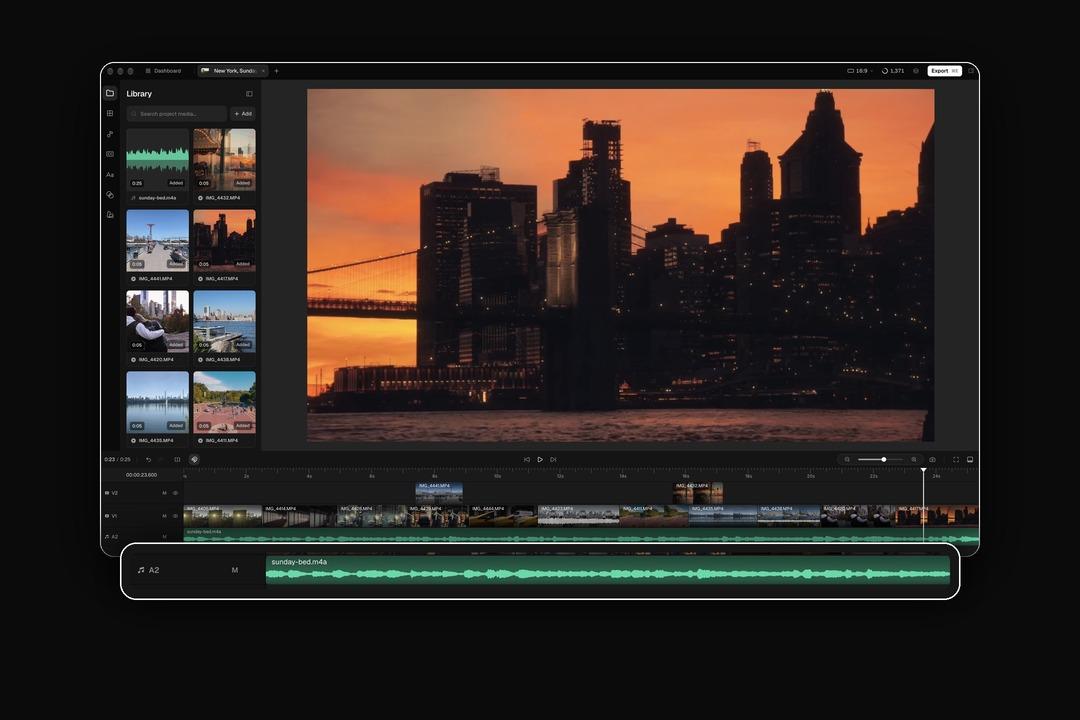
To remove background noise from video with Cardboard, import your interview and ask: “Remove the background noise and level the audio.”
For speech over music, use voice isolation in the Mac app. To lower your added soundtrack, ask: “Duck the music under speech.”
Choose the version for your computer:
- The Mac app requires Apple Silicon (M1 or later).
- Windows and Intel Mac users can use the web editor.
As of November 2026, Lite is free in the Mac app.
For deep spectral repair, use a dedicated audio editor. Otherwise, open Cardboard and start with your interview.
FAQ
How do you remove background noise from video but keep the voice?
Use AI voice isolation, which separates speech from background sounds without needing a silent noise sample. For a street interview with traffic changing in the background, run voice isolation and check that word endings still sound clear. If you also want to keep background music, use stem separation or add a clean music track after cleaning the speech.
Can I remove background noise from video free online without a watermark?
It depends on the tool: check whether the free tier includes a watermark-free export, or covers only a preview download. Test a 3-minute phone vlog before uploading a full recording, and read the tool’s file-retention policy before sending client footage. As of November 2026, Cardboard AI (cardboard.ai) Lite is free in the Mac app and includes audio cleanup, but watermark-free exports start on Starter.
Audacity vs Cardboard for removing background noise from a video: which fits better?
Audacity fits best when you need manual control over steady hum in an office interview, using a captured noise profile and adjustable reduction strength. Choose Cardboard when you want to stay on a video timeline and type a plain request like “Remove the background noise and level the audio.” If the job is deep spectral repair of a damaged recording, a dedicated audio editor beats both.
How do I remove background noise from a video on iPhone without losing the voice?
For new recordings, turn on Voice Isolation in Control Center during recording on iPhone XR, XS or later running iOS 26 or later, inside a supported app. For existing Spatial Audio footage on a supported model, open Photos, tap Edit, then Audio Mix and choose a speech-focused option. For finer control over an existing clip, move to a desktop or web editor.
What settings stop cleaned audio from sounding robotic after noise removal?
Start with low reduction strength, compare a 10-second passage before and after, and back off if speech sounds underwater or loses word endings. Apply noise removal before EQ or compression, since those steps can raise any noise left in the track. When speech and noise overlap completely, re-recording or choosing a cleaner take is more reliable than pushing the reduction harder.
How Can You Keep Video Audio Clear Without Removing Every Sound?
You don’t need perfect silence for clear video audio. A gentle cleanup can reduce fan hiss in your interview without heavy processing. Open Cardboard, import a short interview clip, and ask: “Remove the background noise and level the audio.”