Cardboard AI Vs ChatCut for Chat Video Editing (2026)
ChatCut or Cardboard AI for chat editing? Compare presenters, multicam sync, and pricing as of Nov 2026.
 Cardboard Team11 min read
Contents8 sections
In ChatCut vs Cardboard, choose Cardboard AI (cardboard.ai) if you edit footage you already have, like podcasts, interviews and multicam sessions, and want an editable timeline. Choose ChatCut if you also need AI presenters, cloned-voice narration, Final Cut Pro or CapCut export, or a native Windows app. Both let you edit your own footage by chatting with an agent, and both work inside ChatGPT and Claude.
TLDR:
- Both tools let you edit your own footage by chat on a real timeline and work inside ChatGPT and Claude, though Cardboard’s connector is early access.
- ChatCut adds Windows and Mac apps, AI Avatar, AI Voice Clone, AI Music and 100+ ready-made skills.
- ChatCut exports to Premiere Pro, DaVinci Resolve, Final Cut Pro and CapCut. Cardboard exports to Premiere Pro and DaVinci Resolve on Starter and above.
- Cardboard syncs camera angles by audio, searches footage by description and processes footage locally on Apple Silicon Macs.
- Lite is free in the Cardboard Mac app. ChatCut has a free plan with a 60-minute total web export limit, as of November 2026.
What Is ChatCut?
ChatCut is a chat-driven AI video editor for editing your own footage and generating AI content. You chat with an agent that edits on a timeline and a canvas. The desktop app runs on macOS (Apple Silicon and Intel) and Windows, and ChatCut also works as a plugin or skill inside ChatGPT, Claude and WorkBuddy.
ChatCut leans into AI generation. It offers AI Avatar for script-to-video presenters, AI Voiceover, AI Voice Clone and AI Music, plus image and video models such as Seedance 2.5, MiniMax H3, Kling 4.0, GPT Image 2 and Nano Banana 2, as listed on ChatCut’s pricing page. Ready-made skills cover jobs like Speech Cleanup, Video Translation, Long Video to Shorts, Motion Graphics Styles and Product Ads & UGC.
For finishing, ChatCut lists export to DaVinci Resolve, CapCut, Premiere Pro and Final Cut Pro via XML. If your video needs an AI presenter, ChatCut is a better fit than Cardboard, for example an explainer that pairs your footage with a presenter and cloned-voice narration.
Facts checked November 11, 2026.
What Is Cardboard?
Cardboard is an AI video editor that edits footage you already have. You chat with the Director, its editing agent, and it builds a first cut on a real multi-layer timeline you can refine by chat or by hand. For interview footage, ask, “Cut this interview down to the strongest answer,” then adjust the timeline yourself.
Cardboard removes filler words, false starts and dead air from spoken footage, finds the best moments in long recordings for clips, and syncs several camera angles by audio. It reframes one video to vertical, square and landscape while tracking the speaker, and lets you search footage by description. Captions cover 30 languages, with translation on Starter and above and voice cloning on Creator and above, as of November 2026. You can also start from 80+ recipes and remix them with your own clips.
You can access Cardboard through desktop browsers (including Windows), the free Apple Silicon Mac app and a command line tool. The Mac app adds local processing, Premiere Pro project import, one-click voice isolation and bring-your-own Claude Code or Codex. You can also edit video in ChatGPT or Claude through its early-access connector, subject to account availability. Every plan includes no-login share links with comments pinned to exact moments. Cardboard is unrelated to Google Cardboard.
Which Tool Is Better for Editing Your Own Footage by Chat?
Cardboard is our pick for long recordings; ChatCut suits chat editing that also calls for AI generation.
Which Is Better for Podcast and Interview Clips?
Choose Cardboard for podcast and interview clips when you want to refine the cuts on a timeline. Bring in your podcast and turn it into short clips with this request:
“Make three vertical clips from this podcast, each with one complete idea, remove filler words and add captions.”
In Cardboard, drop in the episode, send the request, then review the 3 clips it returns. Adjust captions with the Word Pop style, reframe to 9:16, and share a review link once you’re happy with the cut.
ChatCut offers a Long Video to Shorts skill and a Speech Cleanup skill for the same job, according to chatcut.io. Cardboard wins for podcast clips you want to fine-tune on a timeline.
Which Is Better for Multicam and Long Raw Footage?
Choose Cardboard for multicam interviews when you want audio-based camera sync and local processing on an Apple Silicon Mac. For a two-camera founder interview, like a talking head video, request:
“Sync these two camera angles by audio, cut to whoever is speaking, and remove the long pauses.”
Local processing on an Apple Silicon Mac skips the upload step, speeds up edits, uses fewer Cardboard credits, and handles hours of footage and heavy camera files. Search by description, such as “the moment the guest laughs”, to find a quote, reaction or scene across every angle, and let speaker tracking punch in on whoever is talking across split, grid and picture-in-picture layouts.
Web uploads allow files up to 2.5 GB each on Lite through Creator, and up to 10 GB each on Pro, as of November 2026. ChatCut’s own pages do not list multicam sync, so Cardboard is the pick for multicam and long raw footage.
Which Is Better for Matching a Reference Style?
Cardboard fits reference-style edits when you want to match pacing and captions, then review the timeline yourself. For a UGC product video, one of the hard problems in video editing, attach a reference and ask:
“Match the captions and pacing of this reference video.”
Review the result against your footage before keeping the changes. Cardboard studies the reference’s color, pacing and fonts, and can lift its audio onto your timeline. Check that the captions still fit your speaker’s rhythm.
ChatCut offers a Talking-Head Edit Recreation skill that breaks down a reference’s pacing, captions, motion graphics, B-roll, framing and sound, according to chatcut.io. Both tools handle this job well. It’s a close call: pick Cardboard if you want to keep refining on its timeline, and pick ChatCut if you want its ready-made skill.
How Do You Edit Video in ChatGPT With Each Tool?
Cardboard supports editing through ChatGPT or Claude; ChatCut’s ChatGPT setup instructions require the desktop app, not a web conversation. Cardboard’s connector supports every Cardboard plan as of November 2026, but remains in early access, so availability may vary by account even on a supported plan.
How Do You Connect Cardboard in ChatGPT?
Connect Cardboard through ChatGPT’s Plugin directory, then sign in with your Cardboard account. The connector is in early access, so access may vary by account.
- Search for Cardboard in the Plugin directory.
- Select Install plugin, then Connect, and sign in.
- Attach your clips and type your request with @Cardboard.
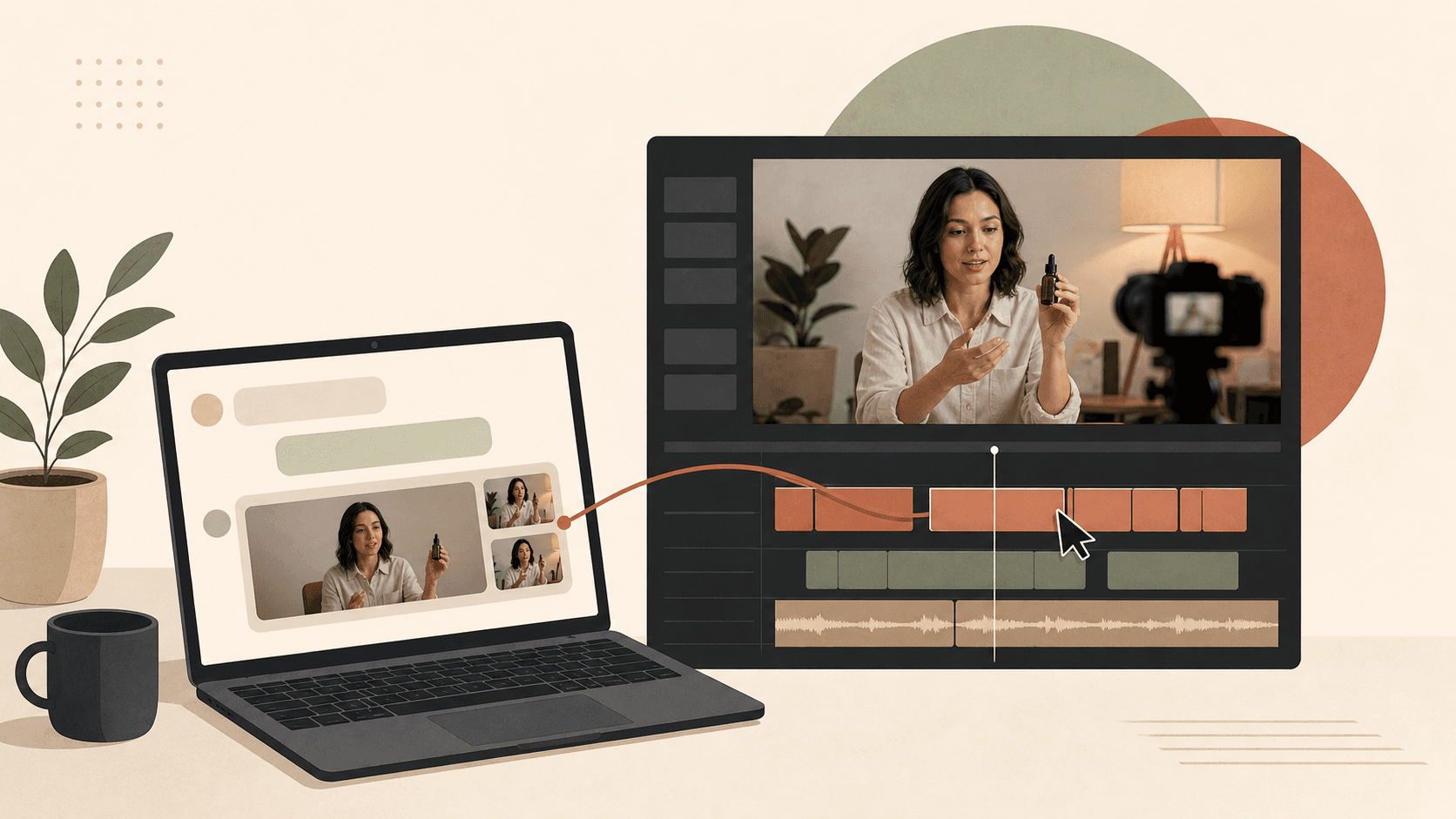
For founder screen recordings, try: “@Cardboard make a 45-second launch teaser from these clips with captions.” The edit plays in chat, and Cardboard saves the project to your account. The connector works on web, desktop and phone, with no API key needed. As of November 2026, edits run on a cloud computer that sleeps after 5 minutes without work, so an idle chat stops using usage credits, and the computer uses about 3 usage credits an hour while awake.
Once the teaser is saved, open the project in Cardboard’s editor to keep refining the cut. ChatCut lists its own ChatGPT, Claude and WorkBuddy plugin for chat editing.
OpenAI’s general guidance says connected app availability depends on your plan, region and workspace; it does not confirm Cardboard-specific availability. For Claude setup, see its connector directory help page.
What Limits Apply to Chat Editing?
As of November 2026, Cardboard chat exports default to 1080p MP4; Creator and Pro support 4K. Editing consumes usage credits. For a podcast clip, ask, “Remove filler words and add captions,” then check that your plan supports your delivery resolution.
If you edit in a timeline tool today, see how Premiere Pro compares to Cardboard on cost and learning curve.
How Do Pricing, Where It Runs and Exports Compare?
ChatCut offers credit tiers; Cardboard offers four plans. Choose by where you edit and how you finish.
How Do the Plans Compare at a Glance?
ChatCut offers Mac and Windows apps; Cardboard offers a browser editor and an Apple Silicon Mac app. For a recorded interview, compare the table’s timeline exports with the editor you use to finish.
Prices and limits are as of November 2026, in USD. For more example prompts across formats, browse Cardboard’s recipes.
| Factor | ChatCut | Cardboard |
|---|---|---|
| Runs on | Mac and Windows apps | Browser; Apple Silicon Mac app |
| ChatGPT and Claude | Both | Both, early access |
| Free option | 60-minute total web export limit | Mac Lite: 3 watermarked 1080p exports |
| Timeline exports | Premiere Pro, DaVinci Resolve, Final Cut Pro, CapCut | XML for Premiere Pro; FCPXML for DaVinci Resolve (not a Final Cut Pro export), Starter and above, web editor only |
| AI presenter | AI Avatar | Not offered |
| Voice cloning | AI Voice Clone, voice count by tier | Creator and above |
| AI generation | Video, image and music models | Shots, images, music and sound effects, Starter and above |
| Multicam sync | Not listed | Yes, by audio |
| Ready-made templates | Skills library | 80+ recipes |
| File size limit | Not listed | 2.5 GB per file; 10 GB on Pro |
How Does Pricing Compare?
ChatCut pricing lists paid credit tiers, as of November 2026: 100 credits for $25/month billed monthly or $21/month billed annually, and 200 credits for $48/month billed monthly or $38/month billed annually. Larger tiers from 400 to 2,000 credits are also listed, paid tiers have no export limit, and the free plan keeps a 60-minute total web export limit.
Cardboard offers named plans instead of credit tiers, so credit allowances between the two tools are not directly comparable. For weekly interview clips, compare the editing allowance and exports you need before budgeting.
Cardboard monthly prices, first month then recurring:
- Lite: US$5 for the first month, then US$8/month, as of November 2026; also free in the Mac app.
- Starter: US$9 for the first month, then US$29/month, as of November 2026.
- Creator: US$30 for the first month, then US$59/month, as of November 2026.
- Pro: US$89 for the first month, then US$175/month, as of November 2026.
When Should You Pick ChatCut Instead?
Choose ChatCut for a native Windows app or an AI-presenter product explainer from a script. ChatCut’s AI Avatar turns a script into a presenter-led video, and its AI Voice Clone lets you reuse one voice across multiple projects.
ChatCut also exports to Final Cut Pro and CapCut, lists over 100 skills, names its generation models, and offers a free plan with no credit card.
If you’re comparing tools built for editing your own clips, see how InVideo compares to Cardboard for own-footage edits.
When Should You Choose Cardboard?
Cardboard is a ChatCut alternative for editing your own footage, with multicam sync, local Mac processing and transcript-first cleanup. It also supports search by description, Premiere Pro project import on Mac and over 80 recipes to remix. ChatCut is the better fit if you need a Windows desktop app (checked November 11, 2026).
For a recorded workshop in Cardboard, ask: “Sync the cameras and remove false starts while keeping each explanation complete.”
You can bring your own Claude Code or Codex into the Mac app with a paid Claude or ChatGPT plan, as of November 2026. Once your cut is ready, send a no-login review link so reviewers can pin comments to exact moments. Sharing is included on every Cardboard plan as of November 2026.
How Should You Choose a Chat Video Editor?
You can edit video in ChatGPT with ChatCut or Cardboard. Your footage and export needs should guide the choice. Try turning a podcast into captioned clips with Cardboard.
FAQ
How should you choose between ChatCut and Cardboard for weekly video work?
Choose Cardboard for footage-led work, such as turning interviews into captioned clips while keeping control of the timeline. Choose ChatCut for explainers that need an AI presenter alongside your footage (checked November 11, 2026). Before committing, try one representative project and check the cuts, captions and finishing options.
When should you use Cardboard for Mac instead of editing in ChatGPT?
Use Cardboard for Mac when you have long recordings on an Apple Silicon Mac and want to skip uploading footage first. ChatGPT editing runs in the cloud; the Mac app processes footage locally and uses fewer Cardboard credits. For a two-camera interview, ask: “Sync these cameras by audio and remove long pauses.”
What should you do if Cardboard is unavailable in your ChatGPT account?
Cardboard’s connector remains in early access as of November 2026, so availability can vary by account. Email support@cardboard.ai if the plugin says it is unavailable, or use Cardboard’s browser editor or Apple Silicon Mac app. You can still make a launch teaser from screen recordings without waiting for connector access.
Can you keep your existing finishing workflow when choosing ChatCut or Cardboard?
Yes, if your finishing editor matches the export options: Cardboard supports Premiere Pro XML and DaVinci Resolve FCPXML through its web editor on Starter and above, as of November 2026. ChatCut also lists Final Cut Pro and CapCut exports, making it a better fit if you finish client edits there (checked November 11, 2026). For a Cardboard workflow, check the current plans before budgeting for timeline export or 4K delivery.