How to Write a Video Script That Hooks Viewers (Oct 2026)
This guide breaks down how to write a video script that holds attention, from the hook to the CTA, for October 2026 creators.
 Cardboard TeamUpdated 14 min read
Contents14 sections
- Why a Script Is the Difference Between a Video That Holds Attention and One That Loses It
- Define Your Goal and Audience Before You Write a Single Word
- Choose the Right Video Format for Your Message
- Build Your Script Outline First
- Write a Hook That Earns the Next 30 Seconds
- Structure the Body to Keep Momentum Going
- Script for the Ear, Not the Eye
- Match Your Script to Your B-Roll and Visual Plan
- Nail Your Call to Action Without Sounding Transactional
- Revise Your Draft With Retention in Mind
- Use AI to Accelerate Script Writing Without Losing Your Voice
- How Cardboard Turns a Finished Script Into a First Cut Automatically
- Final Thoughts on Creating a Video Script That Keeps Viewers Watching
- FAQ
Your hook has about 3 seconds to earn the next 30, and most scripts blow it with a slow intro. Learning how to make a script for a video that actually holds attention is less about writing talent and more about knowing the right order to do things. Get the structure right and the rest of the script tends to fall into place.
TLDR:
- 71% of viewers decide to stay or leave in the first 3 seconds, making your hook the most important line you write
- Outline your beats before drafting: aim for 1-2 beats per minute to avoid over-writing and bloated runtimes
- Write your hook last, read every draft aloud, and add pattern interrupts every 90 seconds to hold attention
- A two-column script format with dialogue and B-roll notes side by side prevents costly mismatches in the edit
- Cardboard is a browser-based AI video editor that turns a locked script into a first cut with captions, reframes, and footage search built in
Why a Script Is the Difference Between a Video That Holds Attention and One That Loses It
Most creators treat a script like a formality. Write some words, hit record, figure it out in editing. The problem is that viewers won’t wait while you figure it out.
A Retention Rabbit benchmark study found that 55% of viewers drop out before the one-minute mark, regardless of how long the video runs. Even more striking: 71% of viewers make their keep-or-leave decision in the first 3 seconds. A script written with that reality in mind stops being prep work and becomes a retention tool, one that decides whether your video earns attention or loses it before you’ve said anything interesting.
Define Your Goal and Audience Before You Write a Single Word
Before you write your hook or your headline, answer two questions: what should this video make the viewer think, feel, or do, and who exactly is watching it?
Goal and audience determine everything downstream. A video built to convert a skeptical buyer reads differently from one designed to teach an existing customer. The first needs urgency and specificity; the second needs clarity and patience. Blur those two together and the script tries to do too much and lands on nobody.
Start by naming one concrete outcome: “the viewer finishes understanding how to set up their first campaign” or “the viewer clicks to start a trial.” Then sketch your viewer just as precisely. What do they already know? Where are they watching? What would make them bail in the first ten seconds? That last question shapes your pacing more than any writing advice will.
Scripts that skip this step tend to feel like they’re talking at the camera instead of at a person. The structure wanders, the tone drifts mid-video, and the depth is inconsistent. Pinning your goal and viewer first gives the rest of the script somewhere to go.
Choose the Right Video Format for Your Message
Format shapes everything about how you write. A 60-second AI video ad needs a single punchy idea, aggressive pacing, and a CTA that lands before the viewer even registers they’ve been sold to. A 10-minute tutorial needs signposting, clear section breaks, and patience. Same topic, completely different scripts.
Here’s a quick reference for the most common formats:
| Format | Typical Length | Script Priority |
|---|---|---|
| Ad creative | 15-60 seconds | Hook, single message, CTA |
| Social short | 30-90 seconds | Pattern interrupt, fast payoff |
| Talking head video | 3-10 minutes | Conversational flow, clear beats |
| Explainer | 1-3 minutes | Problem, solution, proof |
| Product demo video | 2-5 minutes | Outcome first, then walkthrough |
| Tutorial | 5-20 minutes | Step logic, visual cues, recaps |
Pick your format before you outline. It tells you how much to say, how fast to move, and where the CTA lives. Skipping this step means writing copy that feels off, even if every individual sentence is solid.
Build Your Script Outline First
Outlining is the actual structural work, not a preliminary step. Drafting before you do it is how you end up with a 12-minute video that should have been 4.
Map your beats in order: hook, core argument or story, supporting points, CTA. Write one sentence for each. If you can’t summarize a beat in a single sentence, it isn’t clear enough to script yet.
A rough rule: one to two beats per minute of video, whether you’re scripting a long explainer or working with an AI YouTube Shorts generator. A 3-minute explainer holds about four beats comfortably. Push in six and you’ll either rush through them or bloat the runtime trying to connect ideas that don’t naturally follow each other. Writers who skip the outline almost always over-write, then try to fix pacing in editing, where it’s much harder.
Once your beats are mapped, check the logic. Does each beat earn the next one? If your second point only makes sense after your third, reorder them. The outline is where that fix costs nothing.
Write a Hook That Earns the Next 30 Seconds
The hook is not your introduction. It is your argument for why the next 30 seconds are worth the viewer’s time, and it has to land before they consciously decide to stay.
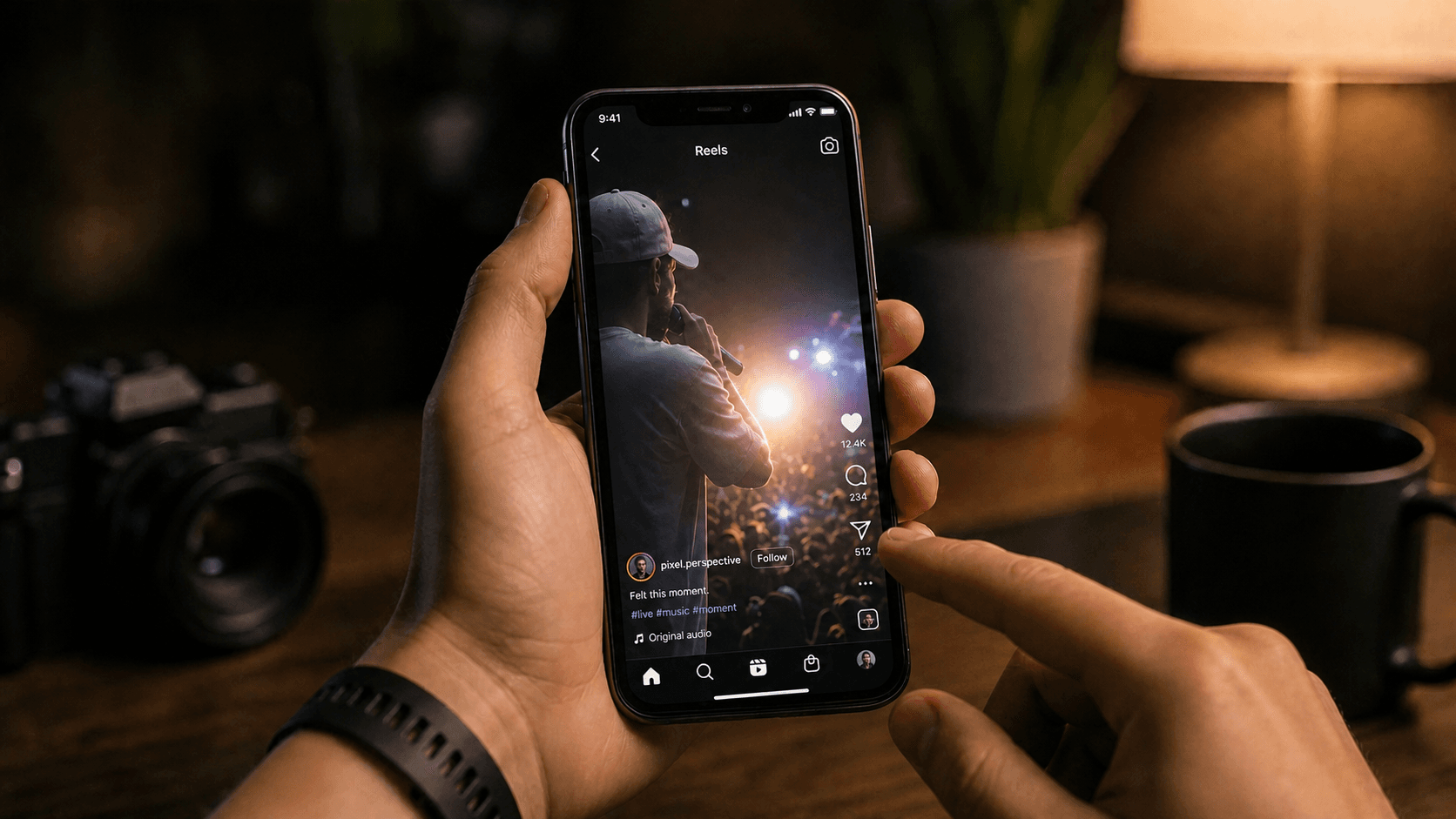
74% more viewers stay past the first 3 seconds when a video opens with a deliberate hook instead of a slow intro. “Hey guys, welcome back” is not a hook. It’s a reason to scroll.
A strong hook does one of three things: states the core payoff immediately, opens with a claim bold enough to create tension, or surfaces the exact problem the viewer already has. The best ones do two at once. Your title and thumbnail made a promise. The first line of your script either honors it or breaks it, and viewers notice the break instantly.
Write your hook last. Once you know what the video actually delivers, you can open with the most compelling version of that payoff. Most writers do it first, which is why so many hooks land flat.
Structure the Body to Keep Momentum Going
The body is where most scripts quietly fail. The hook did its job, the viewer stayed, and then a wall of information hits with no sense of pace or direction.
Sequence your points by value, not chronology. Your hook already carries the strongest payoff, which is what earns the viewer past 3 seconds. Put your second-most compelling point right after your setup, so the momentum the hook created gets reinforced before attention has a chance to wane. Viewers who get a quick follow-on win will extend more patience for what follows.
Signposting keeps people watching when they might otherwise drift. A line like “here’s where most people get this wrong” creates a micro-commitment. Do that three or four times and you’ve bought yourself minutes of attention without padding the script at all.
Pattern interrupts work similarly, but you can write them in, the same instinct that makes a strong podcast clip work. A shift in tone, a reframe, a surprising comparison, anything that jolts the brain out of passive listening resets attention without requiring a production team. Write them in deliberately, roughly every 90 seconds.
Treat each section of the body like a separate argument that has to earn its own audience. If a beat wouldn’t survive as a standalone clip, it probably isn’t pulling its weight in the full video.
Keep your sentences short. Spoken sentences rarely need more than 15 words. Reading length and listening length are completely different, and scripts written for the page tend to drag when delivered out loud.
Script for the Ear, Not the Eye
Written scripts often read well and perform badly. The gap is simple: your eye skips over awkward phrasing, but your ear catches it every time.
Read your draft out loud before you finalize anything. Where you stumble, your viewer zones out. A sentence that looks clean on the page can be a nightmare to deliver, and delivery directly affects how long people stay.
A few things to fix as you read:
- Cut filler words like “basically,” “essentially,” and “in order to”
- Break long compound sentences into two shorter ones
- Replace passive voice with active constructions wherever possible
- Swap jargon for the word your viewer would actually use
Spoken language runs shorter and looser than written language. Contractions are fine. Fragments are fine. “You’ll want to do this” lands better than “It is recommended that you.” Formality creates distance, and distance loses viewers.
Rhythm matters too. A string of sentences that all run the same length feels like a lecture. Vary it. Short. Then a longer line that gives the idea room to breathe before the next beat lands.
Match Your Script to Your B-Roll and Visual Plan
Writing scripts in isolation creates problems you only find in the edit: footage doesn’t match what was said, cutaways feel forced, and fixing it costs time you don’t have.
The solution is a two-column format, with dialogue on the left and visual notes on the right. As you write each line, note what should be on screen. “Show the dashboard loading” or “cut to close-up of hands” written alongside spoken words means your shooter knows exactly what to capture, and your editor stops guessing.
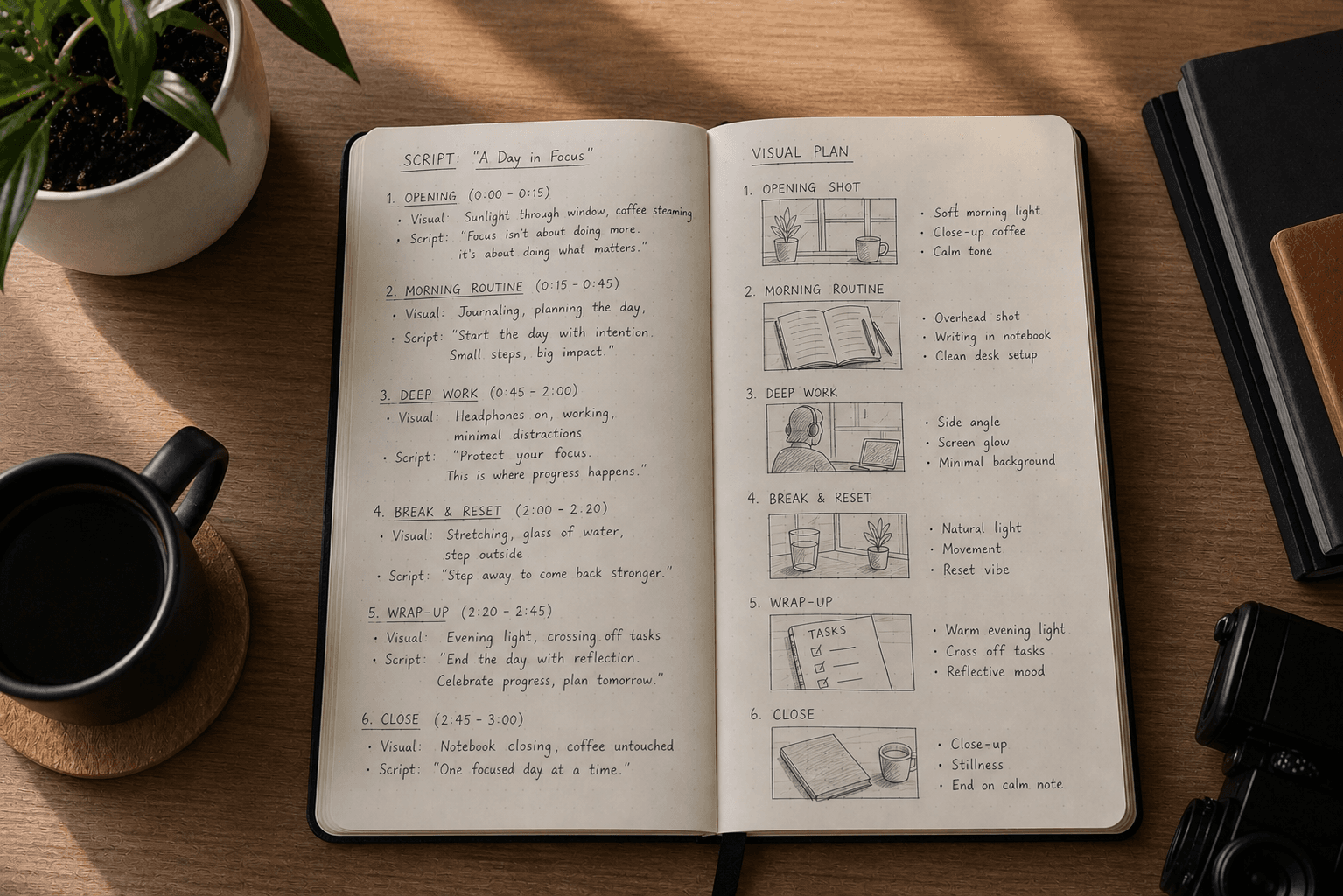
Call out B-roll moments deliberately during transitions. If your script says “most teams waste three hours a week on this,” your visual column should name the exact shot that proves it. A screen recording of a bloated folder structure lands harder than a generic office clip.
Scripts that skip visual planning over-rely on the talking head, which drains retention fast. As a general guideline, viewers tend to need visual variety every 30 to 60 seconds before attention starts wandering. Writing B-roll cues into the script forces visual variety decisions while they’re still cheap to make.
Nail Your Call to Action Without Sounding Transactional
A CTA fails when it arrives as a separate event. “Like and subscribe if you enjoyed this” disconnects from everything before it because it asks for something without connecting back to what the viewer just received.
A CTA that lands is one the video already built toward. If your video taught someone to set up a campaign from scratch, much like a well-crafted promo video should, “start your first campaign free” follows naturally. If it solved a frustration, “try this yourself” works. The ask should feel like the next logical step, not a toll booth.
Different CTAs serve different goals, and the wording changes accordingly:
- Subscribe/follow: tie it to what they’ll get next, not to the abstract idea of supporting you
- Comment: give them something specific to respond to, a question with a real answer
- Click: name the destination and the payoff before you say “click”
- Buy/trial: state what changes for them after they take action
One CTA per video. Two dilutes both. Place it after the payoff but before any recap or outro filler, because viewers who got value are most receptive right at that peak. Wait too long and you’re delivering your ask to a shrinking audience.
Revise Your Draft With Retention in Mind
Revision is where most scripts actually get good. The first draft proves you have an argument. The revision proves it holds up at speed.
Start by reading your draft aloud with a timer running. As a rough guideline, if a 5-minute video script consistently takes 8 minutes to deliver naturally, that’s a signal you have a cutting problem, not a pacing problem. Every beat that runs long either says too much or earns too little.
Audit line by line for dead weight: slow setups that explain before they intrigue, qualifiers that hedge every claim, and ideas already made two beats ago, a discipline that matters just as much when you make training videos. If a sentence does not add new information or shift the viewer’s understanding, cut it.
Then check payoff speed. For each paragraph, ask how many lines pass before the viewer gets something useful. If the answer is more than two, cut from the front. Viewers drop off when value feels delayed, and scripts written in draft mode tend to warm up before they commit. Start every beat where the value actually begins.
Use AI to Accelerate Script Writing Without Losing Your Voice
AI drafts fast, but fast and good are different things. A script that sounds like it was written by committee will lose viewers just as quickly as one that rambles.
The best use of AI in scripting is upstream: feed it raw material and ask for structure, not prose. Paste in a blog post or a product walkthrough and prompt it to extract the core argument, suggest a hook, and map the beats. You get a skeleton in seconds. Then you rewrite the voice yourself.
Prompting matters more than most people expect. Vague prompts produce vague drafts. Instead of “write a script about our product,” try “write a 90-second script for a growth marketer who already uses video but wastes time in editing,” the kind of prompt that also works well for a captioned UGC video. Lead with their frustration, not our features. End with a single CTA.” Specificity gives AI something to lock onto.
When you get a draft back, read it out loud immediately. AI tends to write in clean declarative sentences that look fine on a page but sound flat when delivered. Rewrite any line you wouldn’t actually say, cut filler transitions, and break up any sentence that takes a breath to finish.
Know when to scrap the draft entirely. If an AI output misreads the tone or restructures your argument into something unrecognizable, starting over is faster than fixing it line by line.
How Cardboard Turns a Finished Script Into a First Cut Automatically
Once the script is locked, the next bottleneck is turning it into a cut without losing days to manual editing. That’s where Cardboard comes in.
Cardboard is an agentic AI video editor that runs in the browser. Describe the edit you want in plain language and it produces a first cut on the timeline, with captions, audio balancing, and reframes handled automatically. No installs, no learning curve.
A few features matter most right after a script is approved:
- Semantic footage search finds the right moments across hours of raw footage without manual scrubbing, whether you’re cutting a scripted ad or a travel vlog. Name a reaction, a quote, or a scene and Cardboard locates it.
- Smart Reframe turns one cut into vertical, square, and widescreen versions instantly, so a single script becomes content for every channel.
- Real-time collaboration lets teams leave timestamped comments and refine the cut together without exporting files back and forth, and our video editing guides walk through more workflows like this.
Cardboard has four monthly plans, and launch pricing takes up to 78% off your first month. Lite is $8/month ($5 for the first month) with standard usage and 1080p exports. Starter is $29/month ($9 for the first month) and adds 400 generative credits, unlimited exports, and NLE exports. Creator is $59/month ($30 for the first month) with 1,500 generative credits, 4K exports, and voice cloning. Pro is $175/month ($89 for the first month) with 5,000 generative credits and priority processing. Annual billing saves up to 61%, and prices change, so check the Cardboard pricing page for current rates.
The script does the thinking. Cardboard handles the execution.
Final Thoughts on Creating a Video Script That Keeps Viewers Watching
Scripting well means thinking about your viewer at every step, from the first line to the CTA. Short sentences, clear beats, and a hook that earns attention go further than any production upgrade. Give your script a real shot by taking it into Cardboard, where the editing side takes care of itself.
FAQ
How do you write a hook for a video script that stops viewers from scrolling?
Write your hook last, after you know what the full video delivers. The first line should either state the core payoff immediately, open with a claim bold enough to create tension, or surface the exact problem your viewer already has, ideally two at once. Your opening line has no room to warm up because viewers make their keep-or-leave decision almost instantly, so start with the payoff, not the preamble.
What’s the best way to structure a video script so viewers watch to the end?
Map your beats before you write a single line of dialogue: hook, core argument, supporting points, CTA (one sentence per beat). Place your most compelling point second, right after your setup, and write in a pattern interrupt roughly every 90 seconds to reset attention. Read the full draft out loud with a timer; if your 5-minute script takes 8 minutes to deliver, you have a cutting problem, not a pacing problem.
How do I repurpose long-form video into short clips and ads across multiple formats?
Cardboard works from raw footage forward: describe the edit you want in plain language and it produces a first cut with captions, audio balancing, and reframes already handled. If your team sits on hours of uncut product walkthroughs, demos, or interviews that need to become ads and social clips across multiple formats, Cardboard handles that workflow directly, with no manual scrubbing or re-editing each format separately.
How do I reformat a widescreen video into vertical and square versions automatically without re-editing each one?
Tools like Cardboard’s Smart Reframe handle this in one step: upload a single cut and it generates vertical, square, and widescreen versions automatically, keeping the key action in frame across each format. This is faster than re-editing in Premiere Pro or CapCut manually, and matters most when a single script needs to ship across YouTube, Instagram Reels, and LinkedIn without a separate edit for each.
How do I collaborate on a video edit with my team without exporting files back and forth?
Use an editor with real-time collaboration built in. Cardboard lets multiple people work on the same timeline simultaneously, leave timestamped comments at specific moments, and share a public link where reviewers can comment without logging in. No exports, no version sprawl, and no async feedback loops waiting on a freelancer to turn around a revision.