Founder's Guide to Launch and Demo Video Editing 2026
Turn one walkthrough into a launch video, demo, and social clips. A founder video editor guide with steps and pricing for 2026.
 Cardboard TeamUpdated 10 min read
Contents14 sections
- What Is a Video Editor for Founders?
- Which Videos Do Founders Actually Need to Make?
- Should You Hire a Video Editor or Edit Videos Yourself?
- What Features Should a Founder Video Editor Have?
- Which Types of Video Editing Tools Fit Founders?
- How Do You Edit a Product Launch Video?
- How Do You Turn a Screen Recording Into a Product Demo?
- How Do You Turn One Founder Recording Into a Week of Social Clips?
- How Do You Make a 3D Spinning Product Shot for a Launch Video?
- How Do You Keep Founder Videos Consistent Without a Video Team?
- How Does Cardboard Work as a Video Editor for Founders?
- How Do You Adapt, Hand Off, and Review Founder Videos?
- Should you make separate Cardboard edits for your landing page and LinkedIn if your demo has small interface text?
- What should you send a freelancer when handing off your Cardboard demo to Premiere Pro or DaVinci Resolve?
- How do you collect advisor feedback on a Cardboard launch video without requiring accounts?
- FAQ
- How Should You Start Editing Your Founder Footage?
A video editor for founders can turn one walkthrough into a launch video, product demo, and social clips. Each cut needs to make sense on its own. Start by removing dead time and keeping screen details readable, then shape separate versions for each job.
TLDR:
- Start with a 1 to 3-minute demo; reuse your footage for launches and sales follow-ups.
- Keep launch videos to 60 to 90 seconds. Show your product within 5 to 10 seconds.
- Cut dead time and wrong clicks from demos; add captions so viewers can follow on mute.
- Compare DIY editing time with briefing, revisions, and fees before hiring an editor.
- Cardboard AI (cardboard.ai) turns your recordings into editable first cuts and removes dead air.
What Is a Video Editor for Founders?
A video editor for founders is a tool or person that turns your existing footage into launch videos, demos, and updates. Sources include screen recordings, webcam takes, phone clips, and interviews.
Founder editing favors fast cuts and clear product stories over cinematic polish. Cut a 12-minute walkthrough to 60 seconds for your landing page, then adapt it for LinkedIn and investor emails.
Wyzowl’s 2026 video data puts business video adoption at 91%. As of the 2026 Wyzowl report, AI use for video creation or editing reached 63% of video marketers, up from 51% the previous year.
Which Videos Do Founders Actually Need to Make?
Founders need videos for launches, demos, investor updates, social posts, and onboarding. Use these starting lengths:
- Launch, 60 to 90 seconds: combine product footage and a founder take.
- Demo, 1 to 3 minutes: narrate a screen recording.
- Investor pitch or update, 2 to 5 minutes: pair webcam footage with slides.
- Feature update, 30 to 60 seconds: show the changed workflow.
- Social, 15 to 45 seconds: cut vertical webcam clips.
- Onboarding, 2 to 4 minutes: teach one task.
Start with your demo; reuse footage for launches and sales follow-ups.
Should You Hire a Video Editor or Edit Videos Yourself?
Hiring a video editor for founders makes sense for fundraising or brand films that need stronger storytelling and pacing. For weekly updates, weigh software costs and your editing time against outsourcing fees.
| Option | Budget consideration |
|---|---|
| Full-time hire | Salary: consult the BLS wage data |
| Freelancer or service | Per-video or subscription fees |
| DIY software | Subscription plus your time |
For a 2-minute screen-recorded demo or a talking head video, compare briefing and two revision rounds with editing your own first cut. Include time spent tracking versions and waiting for revisions before choosing.
What Features Should a Founder Video Editor Have?
A video editor for founders should clean up speech, keep product footage readable, and support feedback.
| Feature | Use case |
|---|---|
| Transcript cutting, filler removal | Trim webcam pitches |
| Auto captions | Make social clips readable on mute |
| 9:16 and 1:1 reframing | Resize launch cutdowns |
| Screen zooms, callouts | Show small demo controls |
| Noise cleanup | Reduce hum |
| Feedback links | Collect advisor notes |
| Editable export | Hand projects to freelancers |
Try trimming a 6-minute pitch toward 4 minutes through transcript cuts. Preserve complete thoughts; removable speech determines how much you can cut.
Which Types of Video Editing Tools Fit Founders?
Choose a video editor for founders based on the footage you have and the work you need to finish.
- Professional timeline editors suit detailed launch films, but take time to learn.
- Template and mobile-first editors suit phone-shot updates, but presets limit customization.
- Text-based editors cut spoken interviews; review visual timing.
- Clipping tools turn webinars into batches of clips; check each clip’s context.
- Avatar and script-to-video tools suit explainers without footage; presenter choices shape results.
- For walkthroughs made from recordings, see a screen product demo built from screen capture.
- Plain-language AI editors accept editing requests for recordings; check cuts for product accuracy.
How Do You Edit a Product Launch Video?
Edit a product launch video by cutting your founder take first, then adding screen recordings that show the product in action.
- Write under 150 words covering the problem, product moment, and call to action.
- Gather a founder talking-head take, 2 to 4 screen recordings, and logo assets.
- Cut speech first; overlay product shots matching each claim.
- Add captions and lower music under speech.
- Export 16:9 and 9:16 cuts.
For a SaaS launch, trim a 3-minute recording into a 75-second promo video for Product Hunt and a 20-second X teaser.
How Do You Turn a Screen Recording Into a Product Demo?
Turn a screen recording into a product demo video by cutting dead time, wrong clicks, and loading screens. Add captions for muted viewing and voiceover where steps need explanation.
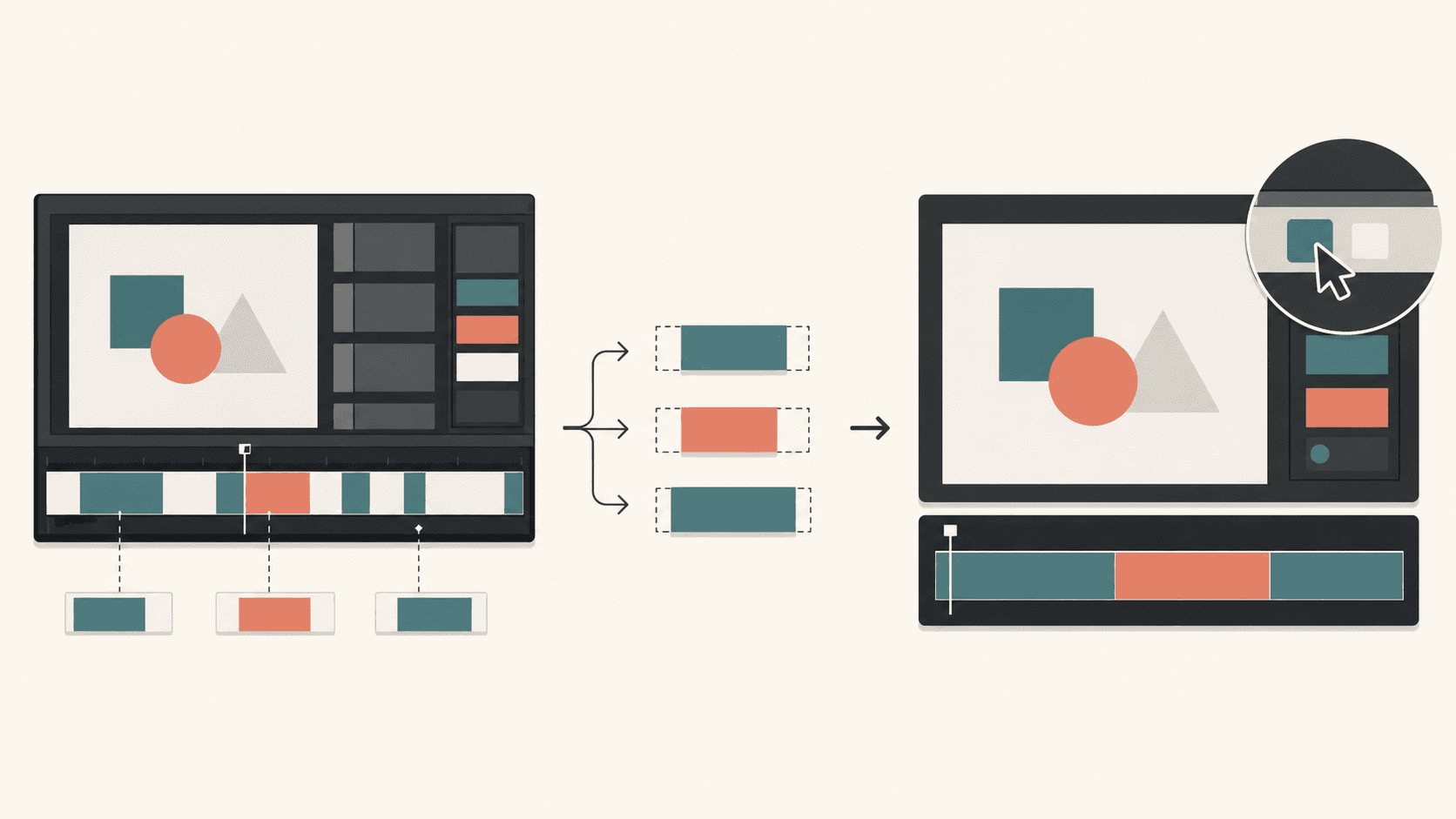
- Record at 1080p or higher so interface details stay clear.
- Keep each feature segment to 15 to 30 seconds.
- Watch on your phone, then zoom into any action with unreadable text.
- Split longer demos into an overview and role-specific sales follow-ups.
For example, cut a 9-minute onboarding recording into a 2-minute overview and three 30-second feature clips, the same approach used to build a demo video that converts.
How Do You Turn One Founder Recording Into a Week of Social Clips?
Turn one founder recording into a week of social clips by picking 3 to 5 self-contained ideas from a podcast, AMA, or talking-head video.
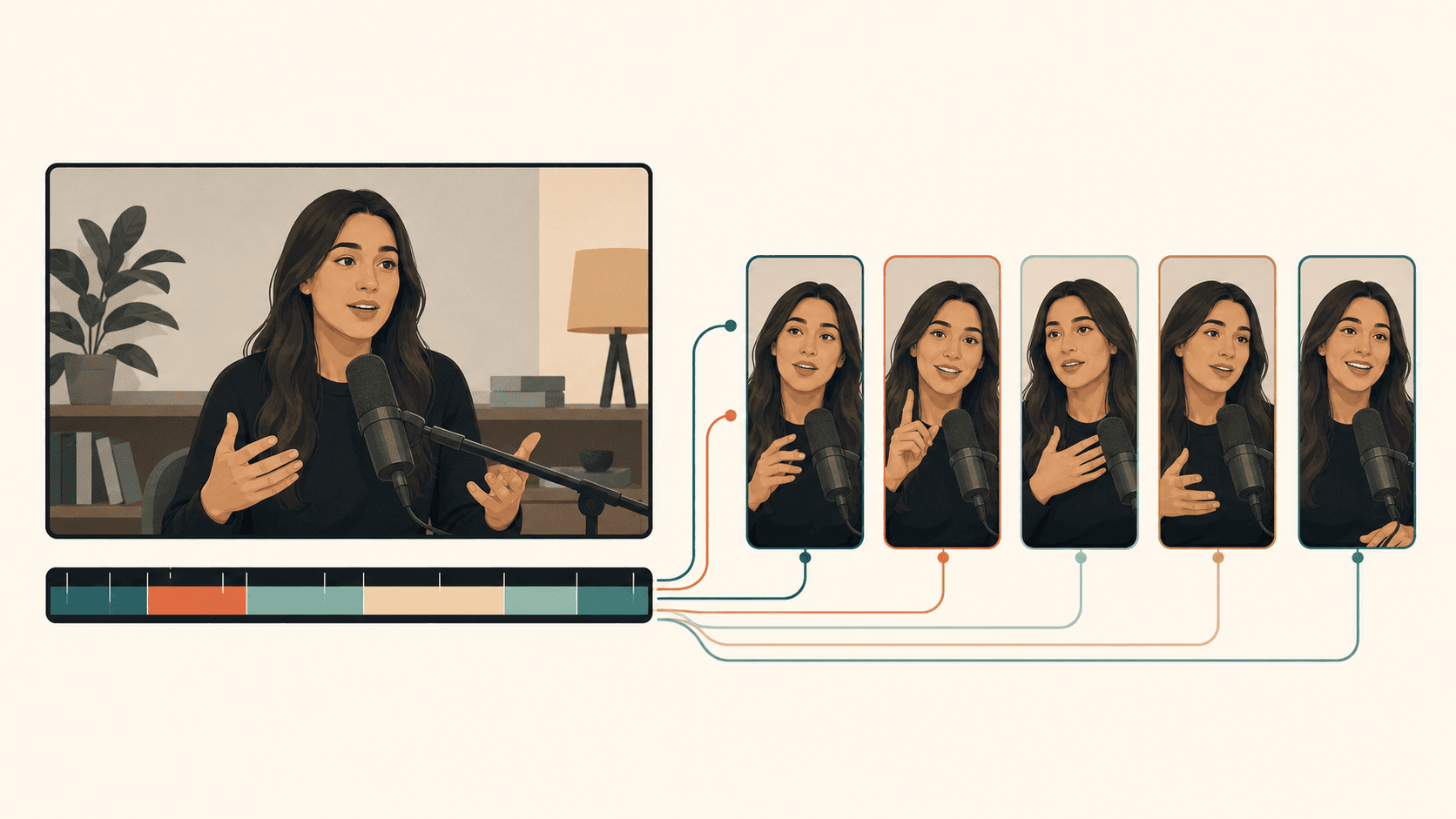
- Cut each to 20 to 45 seconds, keeping one complete thought.
- Reframe vertically, keeping the speaker visible.
- Add word-level captions and a hook within the first 2 seconds.
- Schedule clips across LinkedIn, X, Shorts, and Reels.
Watch each clip alone. Restore any context needed to understand it.
For example, split a 45-minute podcast appearance into five clips for Monday through Friday.
How Do You Make a 3D Spinning Product Shot for a Launch Video?
Make a 3D spinning product shot by filming on a turntable, animating a 3D model, or using AI image-to-video tools with a product photo.
Reserve 2 to 4 seconds for hardware, physical products, app icons, or a closing logo reveal.
- Use a clean background and consistent lighting so the product stays easy to see.
- Approve the opening frame before starting AI generation.
- Cut on a music beat to connect the shot to your launch video.
For a hardware launch, try a 3-second rotating device shot as your opening, a trick that also works when you build AI video ads fast.
How Do You Keep Founder Videos Consistent Without a Video Team?
Keep founder videos consistent by reusing a saved template with a fixed structure, caption style, fonts, colors, intro, outro, and music mood.
For weekly 60-second updates, replace only the screen recording. Leave the template settings unchanged so you avoid making the same editing decisions each week.
Collect feedback through timestamped comments on a review link instead of scattered Slack threads, or request edits through Cardboard’s ChatGPT integration. For your weekly screen recording, ask: “Remove the pauses and add captions.” Limit routine updates to one review round.
How Does Cardboard Work as a Video Editor for Founders?
Cardboard turns your footage into an editable first cut. Ask: “Cut this 9-minute screen recording into a 2-minute product demo.”
The Director cuts filler words and dead air.
As of November 2026, Starter and above offer timeline exports from the web editor for freelancer finishing: XML for Premiere Pro and FCPXML for DaVinci Resolve.
Monthly pricing as of November 2026:
- Lite: $5 first month, then $8/month; free in the Mac app.
- Starter: $9 first month, then $29.
- Creator: $30 first month, then $59.
Need a presenter without footage? Choose an avatar tool. Otherwise, check Cardboard pricing.
How Do You Adapt, Hand Off, and Review Founder Videos?
Adapt founder videos for each viewing format, hand off source files with your edit, and collect feedback through one review link. For a screen-recorded demo, keep the full workflow on your landing page and show one task in the social cut.
Should you make separate Cardboard edits for your landing page and LinkedIn if your demo has small interface text?
Yes, make separate Cardboard cuts when a vertical crop hides controls or makes interface text unreadable. Keep the full workflow in your landing-page demo, and show one task in a 20-to-45-second social cut. Ask: “Make a vertical version with close-ups on each clicked control, keeping captions clear of the interface.”
What should you send a freelancer when handing off your Cardboard demo to Premiere Pro or DaVinci Resolve?
For your Cardboard demo handoff, export the timeline from the web editor on Starter or above, as of November 2026. Send XML for Premiere Pro or FCPXML for DaVinci Resolve, plus source recordings, logo files, and a reference MP4. Include a short brief with exact notes, such as “Keep the signup step at 00:20.”
How do you collect advisor feedback on a Cardboard launch video without requiring accounts?
Share a Cardboard project link so advisors can watch without logging in and leave timestamped comments using a name and email. For a 75-second launch cut, ask them to check three things: product accuracy, readable interface text, and the call to action. Publish your cut and send one review link to keep notes together.
FAQ
How long should a founder product launch video be?
Keep a founder product launch video to 60 to 90 seconds, and show the product within the first 5 to 10 seconds. For social cuts, trim a separate 20-second teaser for X or Reels from the same footage.
Cardboard vs hiring a freelance video editor for a founder demo: which makes more sense?
For weekly screen-recorded demos and updates, Cardboard gets you an editable first cut without briefing rounds or revision waits. Hiring a freelancer makes more sense for fundraising films or brand videos that need stronger storytelling and pacing. Add up briefing time, two revision rounds, and fees before deciding.
Can I build a product launch video from a screen recording without a dedicated video team?
Yes. Record at 1080p, keep your script under 150 words covering the problem, product moment, and call to action, then cut speech first and overlay screen footage matching each claim. In Cardboard, ask: “Remove filler words and dead air from this screen recording.”
How do I turn one screen recording into multiple founder videos for different platforms?
Cut a 16:9 demo for your landing page first, then make a separate vertical cut showing one task for social. Keep each feature segment to 15 to 30 seconds, reframe to 9:16 with the speaker visible, and add word-level captions with a hook in the first 2 seconds.
How do I collect feedback on a founder launch video without asking reviewers to create accounts?
Share a Cardboard project link and reviewers can watch without logging in, leaving timestamped comments with just a name and email. Ask them to check product accuracy, readable interface text, and the call to action. One link keeps all notes together instead of scattered threads.
How Should You Start Editing Your Founder Footage?
Start editing your founder footage with a focused demo cut. Reuse your screen recording and caption style for a launch teaser. Open the web editor with one recording and ask: “Cut this screen recording into a product demo.”